

Restaurant ordering and table booking system
Online ordering, home delivery and table booking on the restaurant's own website – also suits lunch restaurants, bistros, cafés and catering, with products and rules adapted to your business. Guests order food or book a table in a few taps, and the kitchen and floor see everything in one dashboard. The screenshots are from the real system with a sample restaurant (the interface is in Finnish; English is available for guests).
An ordering system for restaurants – no middlemen
Guests order straight from the restaurant's own website for pick-up or home delivery. The order reaches the kitchen immediately, and the money goes to the restaurant's own account without a per-order commission to a marketplace.
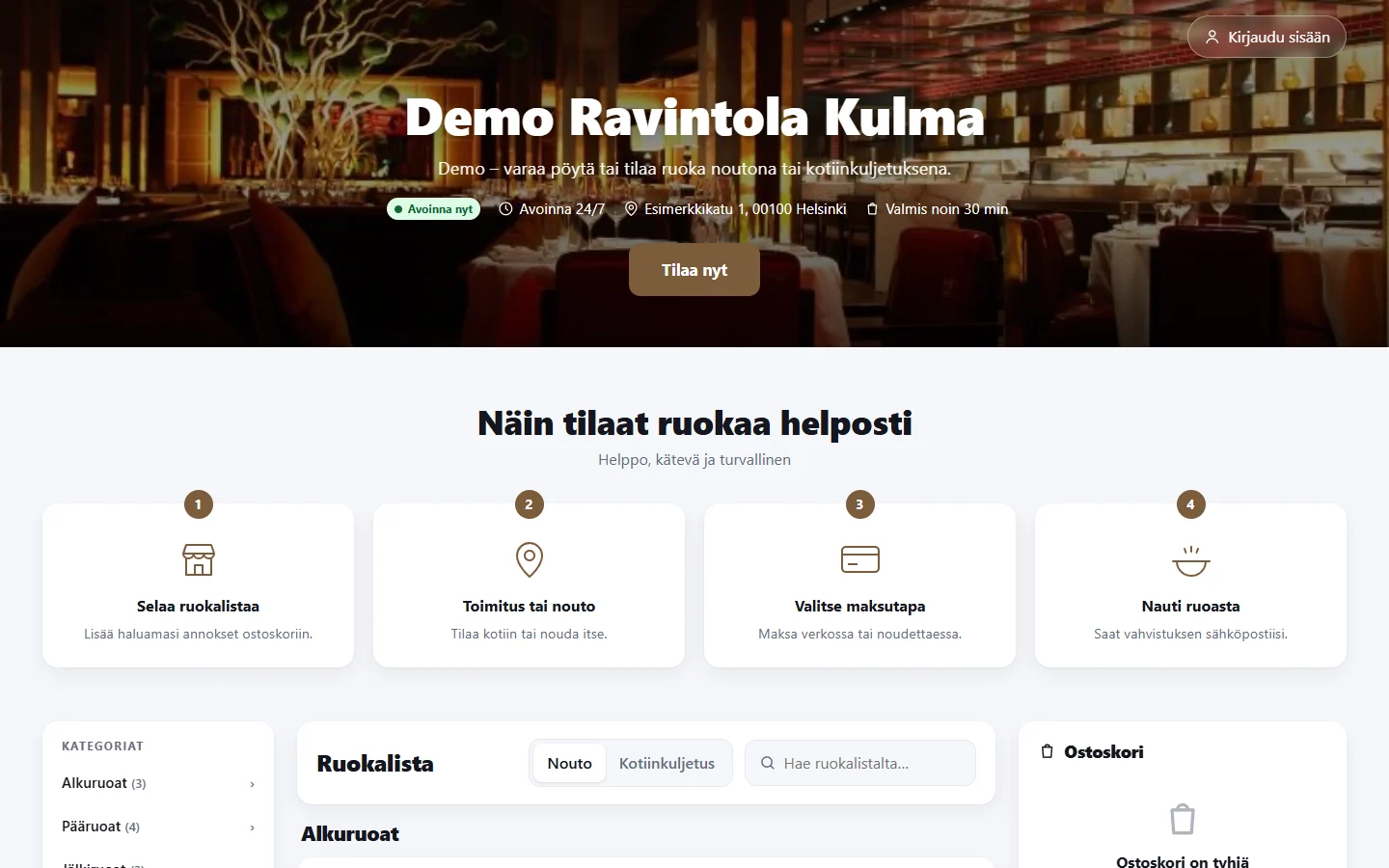
A menu that looks like your restaurant
The menu is built from your own dishes, photos and colours. Guests see right away whether the kitchen is open and how long their order will take.
- Starters, mains, desserts and drinks as categories
- Dish photos, descriptions and menu search
- A daily lunch or special you change yourself
- Opening hours and closed days – ordering closes automatically
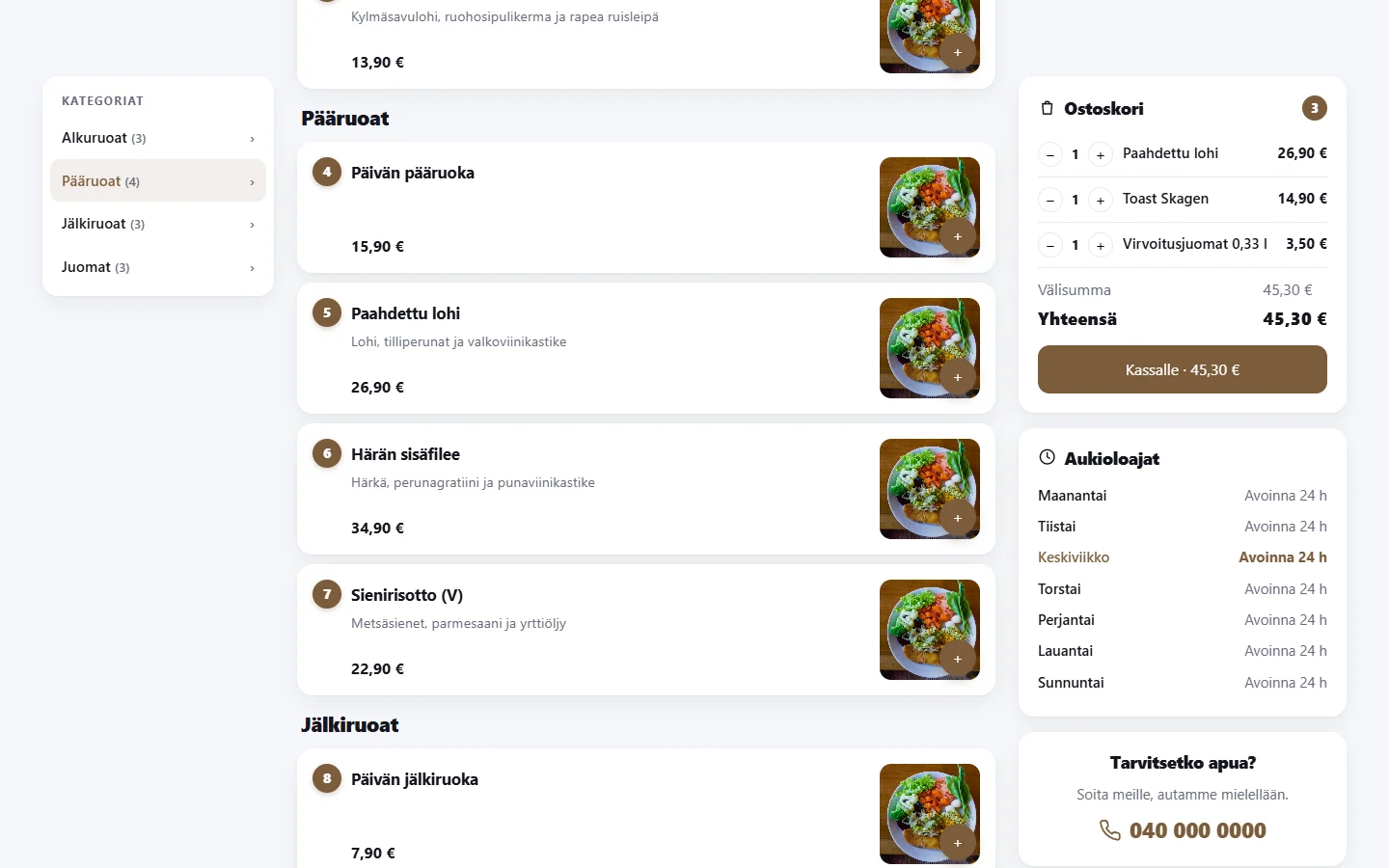
Pick-up or home delivery
Guests choose pick-up or delivery on the menu, and the cart adds the delivery fee. Delivery is limited to the postcodes the restaurant serves.
- Delivery area by postcode
- Delivery fee and minimum order of your choice
- Estimated ready time shown before ordering
- Notes for the kitchen, such as allergies or a door code
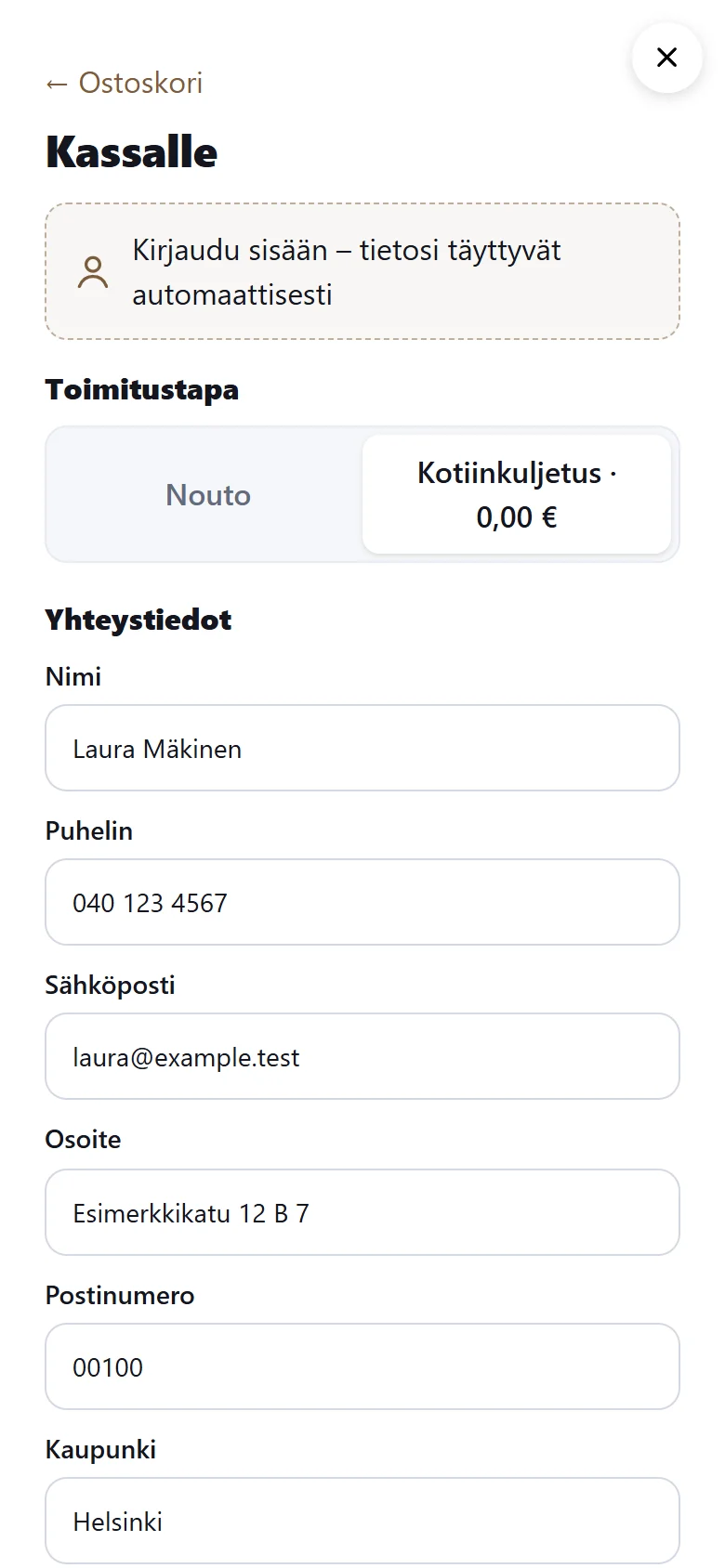
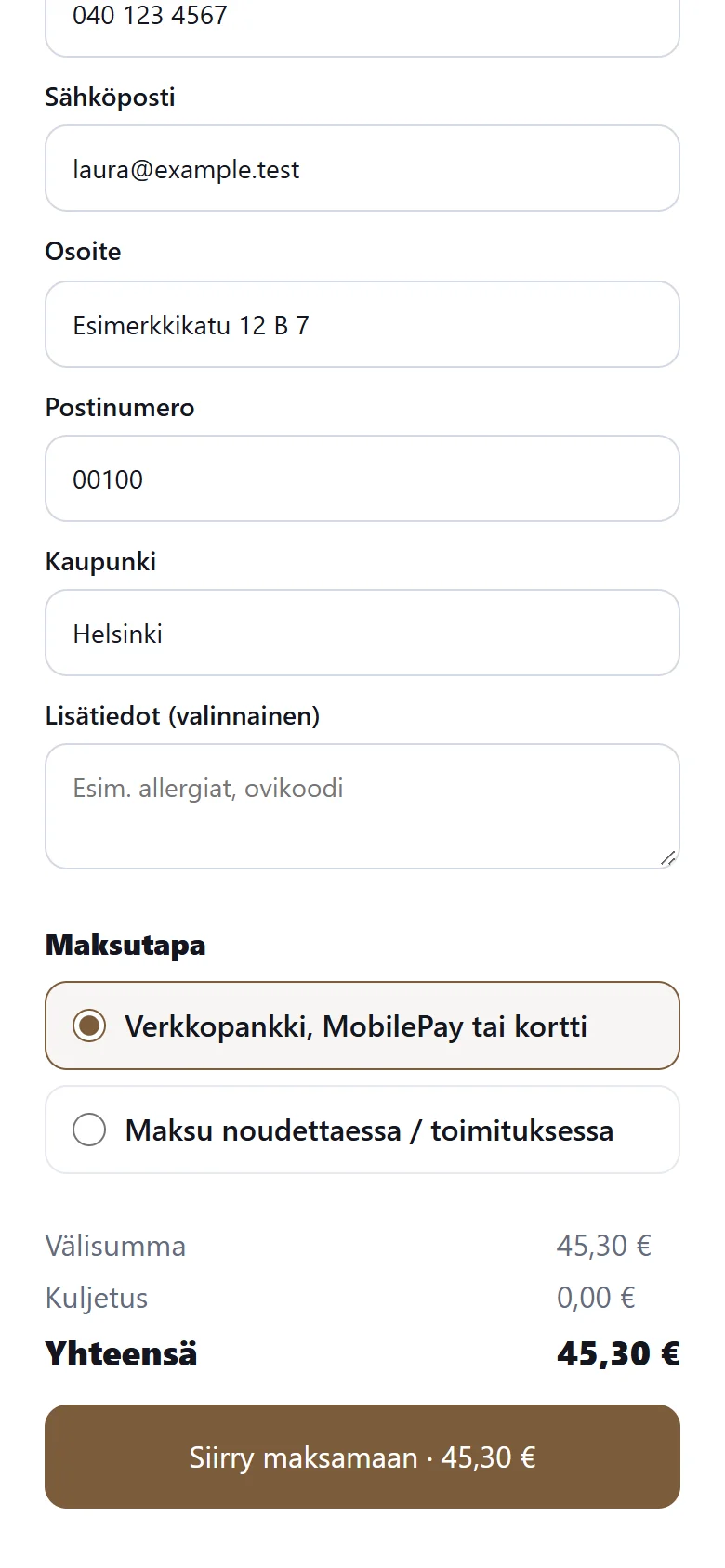
A checkout built for phones
Most orders are placed on a phone, so the checkout is designed for small screens first. Signed-in guests get their details filled in, and the confirmation arrives by email immediately.
- Online payment: Finnish online banks, MobilePay and cards
- Or payment on pick-up or delivery – your choice
- Order confirmation and order number by email
- Printable receipt with a VAT breakdown
A table booking system that knows your tables
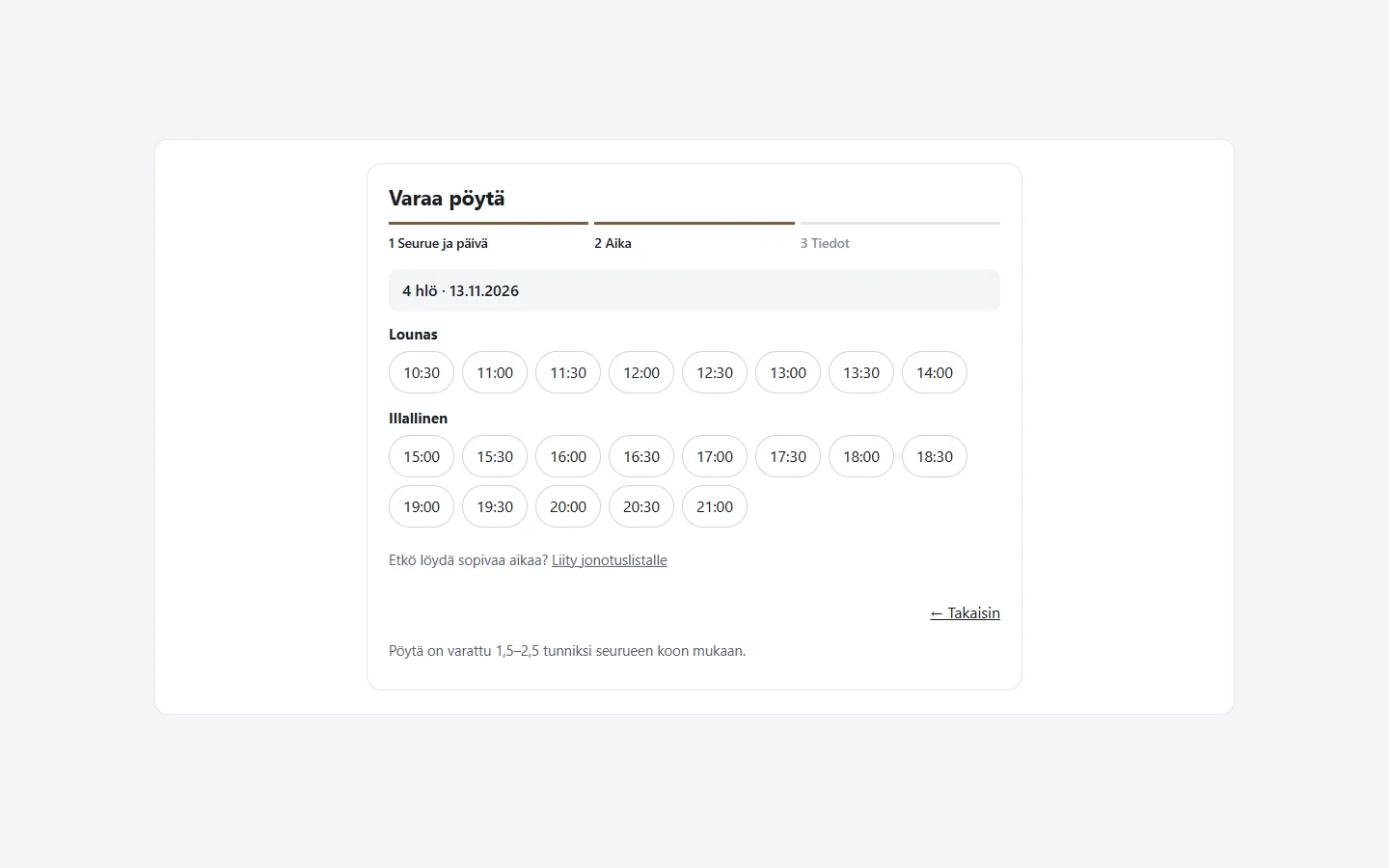
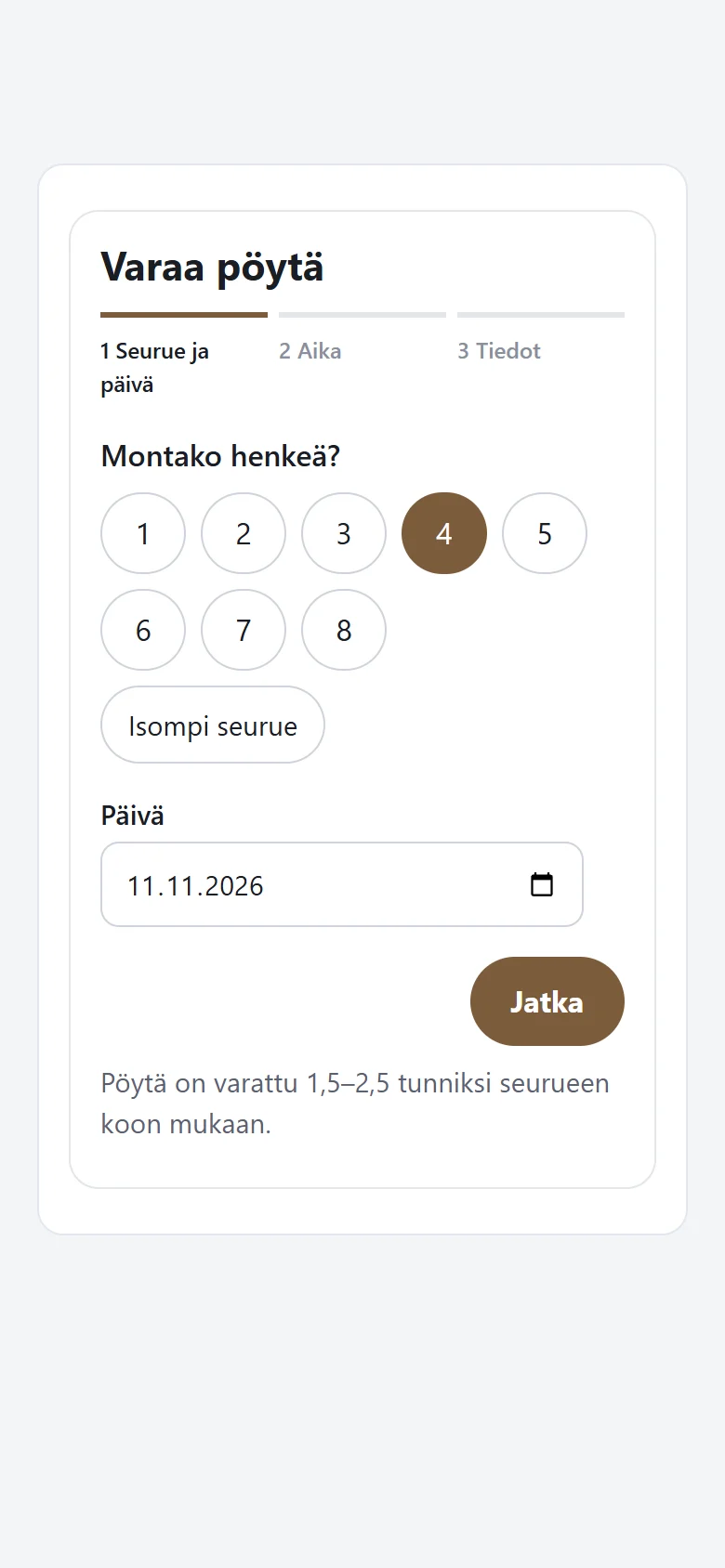
Guests book a table in three steps: party and date, time, details. The system only shows times with a genuinely free table – and picks the smallest table that fits or combines two tables for a larger party.
Sittings and dining duration
Lunch and dinner can be separate sittings with their own times. Tables are held according to party size – a table for two usually turns faster than a table for six, and the system takes that into account.
- Sittings by weekday, e.g. lunch and dinner
- Dining duration for small, medium and large parties
- Kitchen pacing: maximum guests per start time
- Exception days: closed, full, special menu or a table out of use
Allergies and requests in the booking
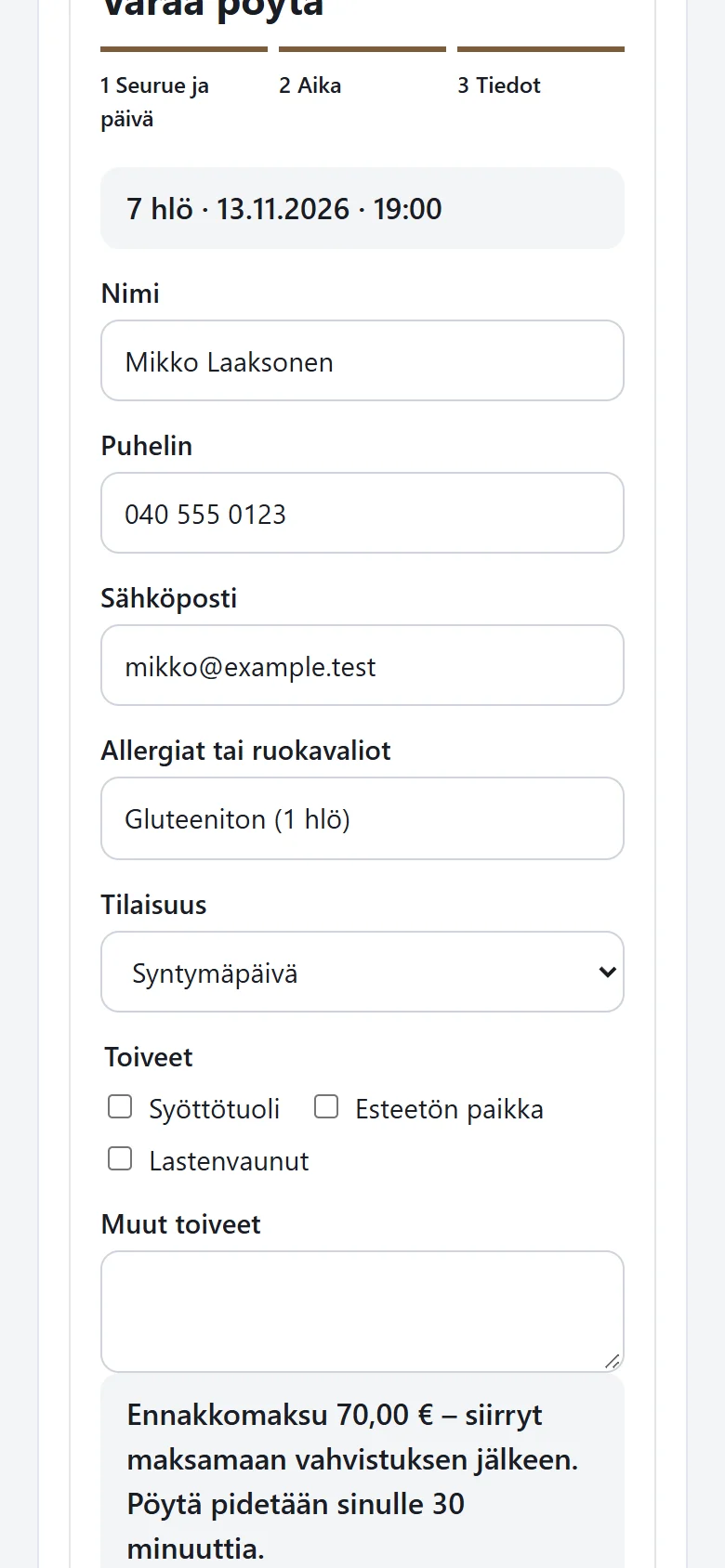
The floor team sees before guests arrive whether the party has allergies, is celebrating a birthday or needs a high chair. Each field can be switched on or off.
- Allergies and diets highlighted on the floor list
- Occasion: birthday, anniversary, business dinner
- High chair, accessible seating and pram
- Guests change or cancel via the link in their confirmation
Waitlist and prepayment
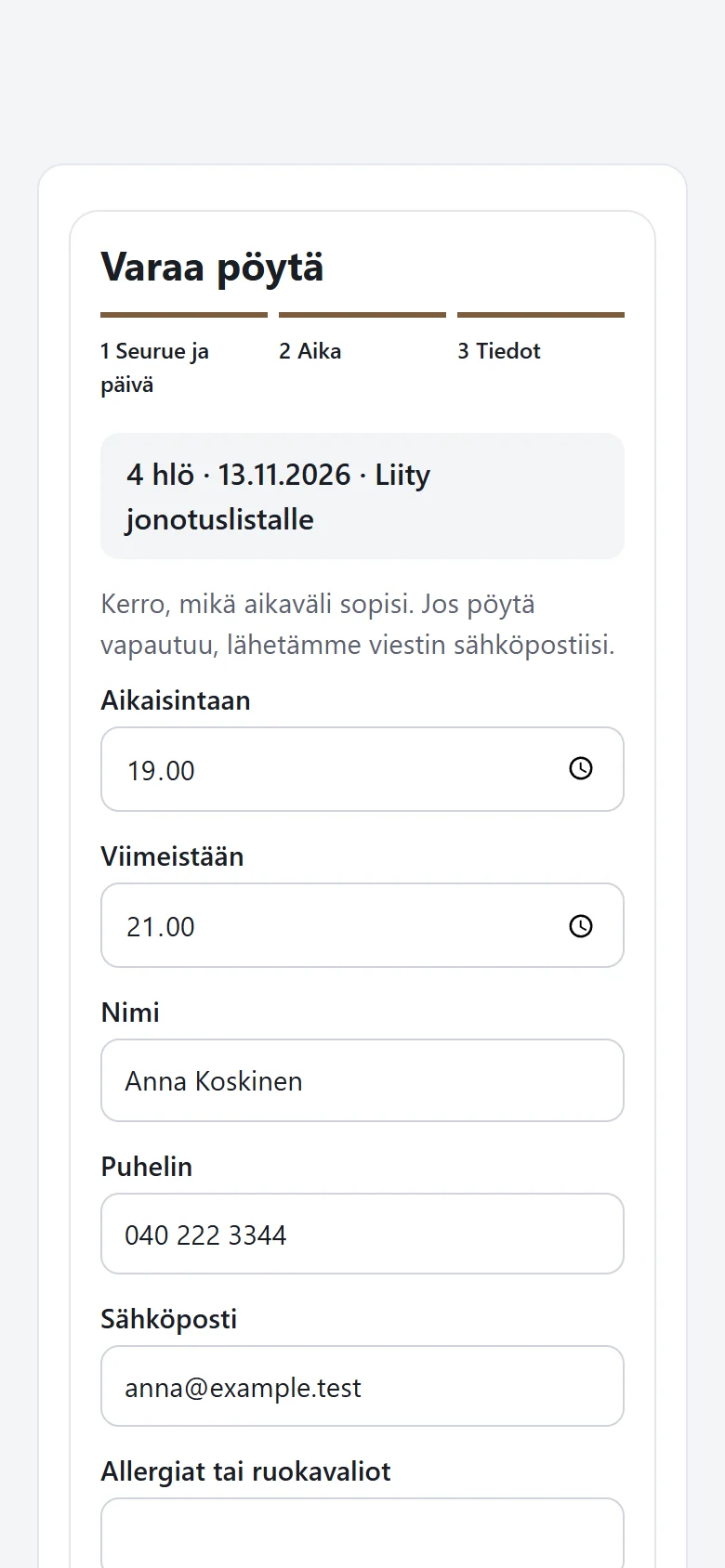
When the evening is full, guests can join the waitlist. If someone cancels, people on the waitlist are emailed and the first to confirm gets the table. For large parties and special evenings you can ask for a prepayment, which reduces no-shows.
- Waitlist with a preferred time window, alert when a table frees up
- Prepayment per guest from a party size you choose
- Unpaid bookings are released automatically after 30 minutes
- Group booking requests – the restaurant confirms them itself
Kitchen, floor and reports in one place
The dashboard works on a computer, tablet and phone. The kitchen handles orders, the floor sees the evening's bookings table by table, and the owner gets sales and bookings as reports.
Orders on the kitchen screen
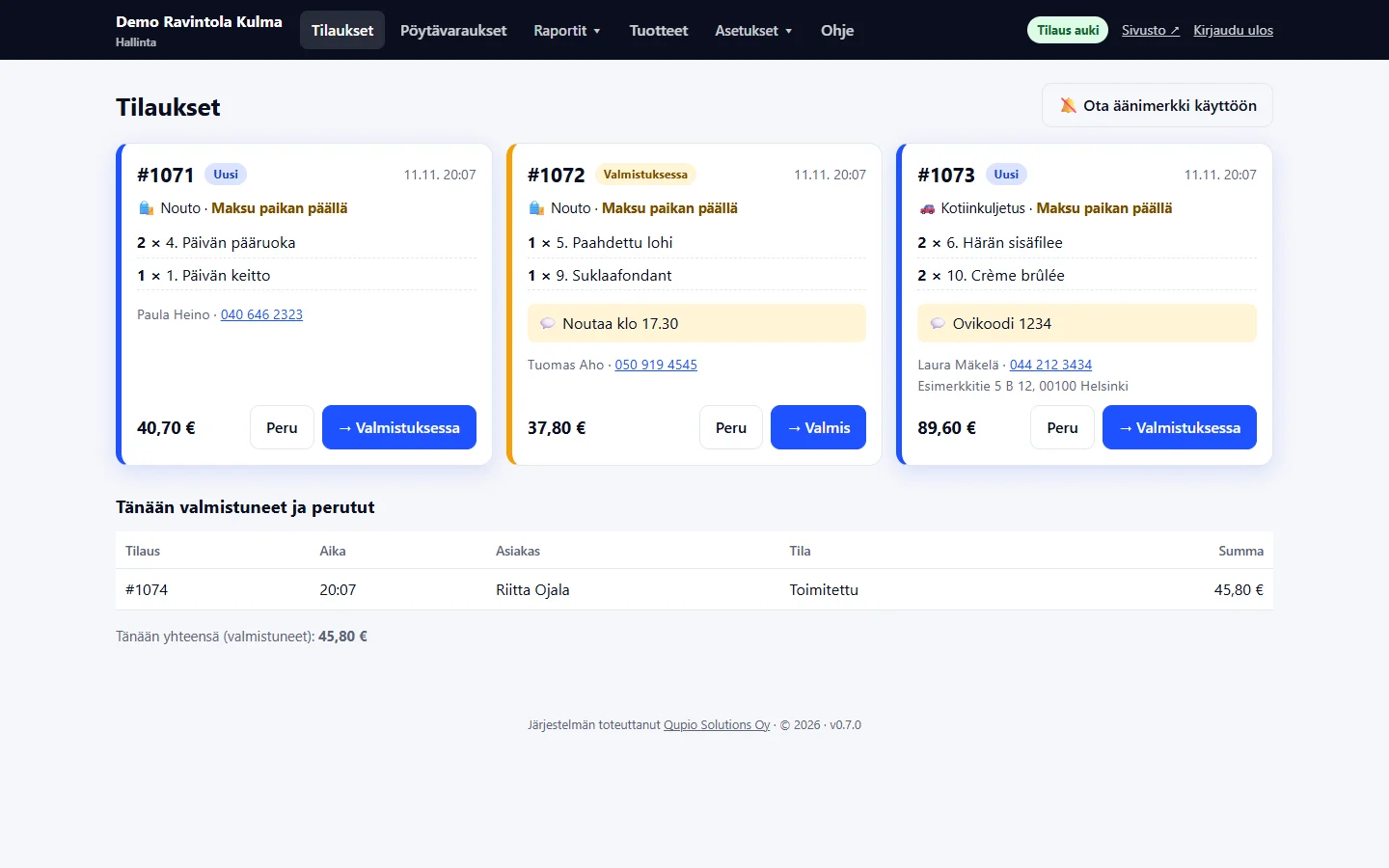
A new order appears on screen with a sound alert. The kitchen moves it to preparation and ready with one tap, and every order from pick-up to delivery is in the same list.
- New, in preparation and ready – clearly colour-coded
- Pick-up or delivery, address and the guest's notes
- Online ordering can be paused during a rush
- Change dishes, prices and photos yourself without code
Today's bookings and walk-ins
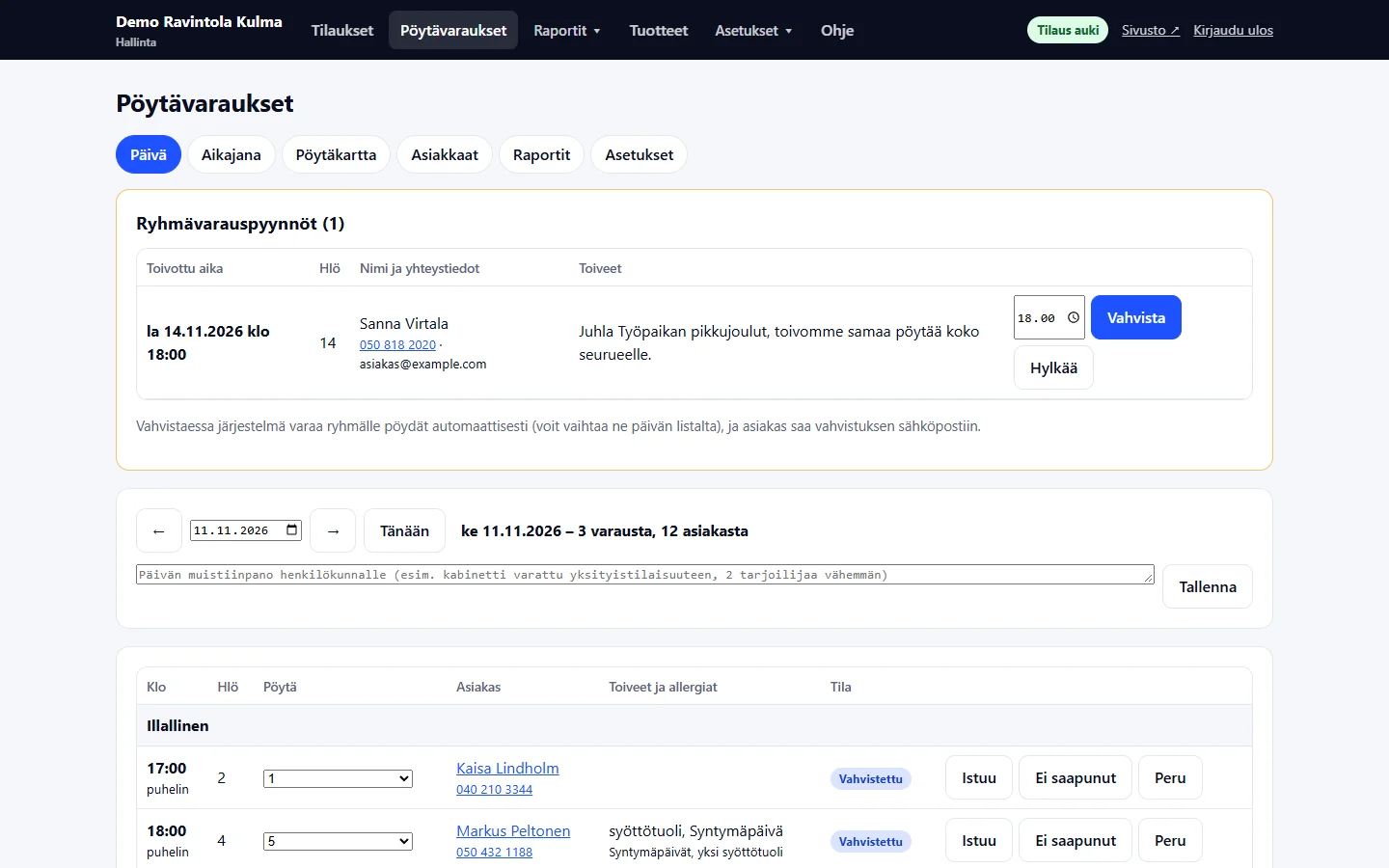
The floor list shows the evening's bookings by sitting. When a party arrives you mark it seated, and walk-in guests are added to the same list.
- Seated, left, no-show and cancelled
- Change table with one selection
- Phone bookings and walk-ins in the same system
- Guest register: regulars, VIP flag and allergies
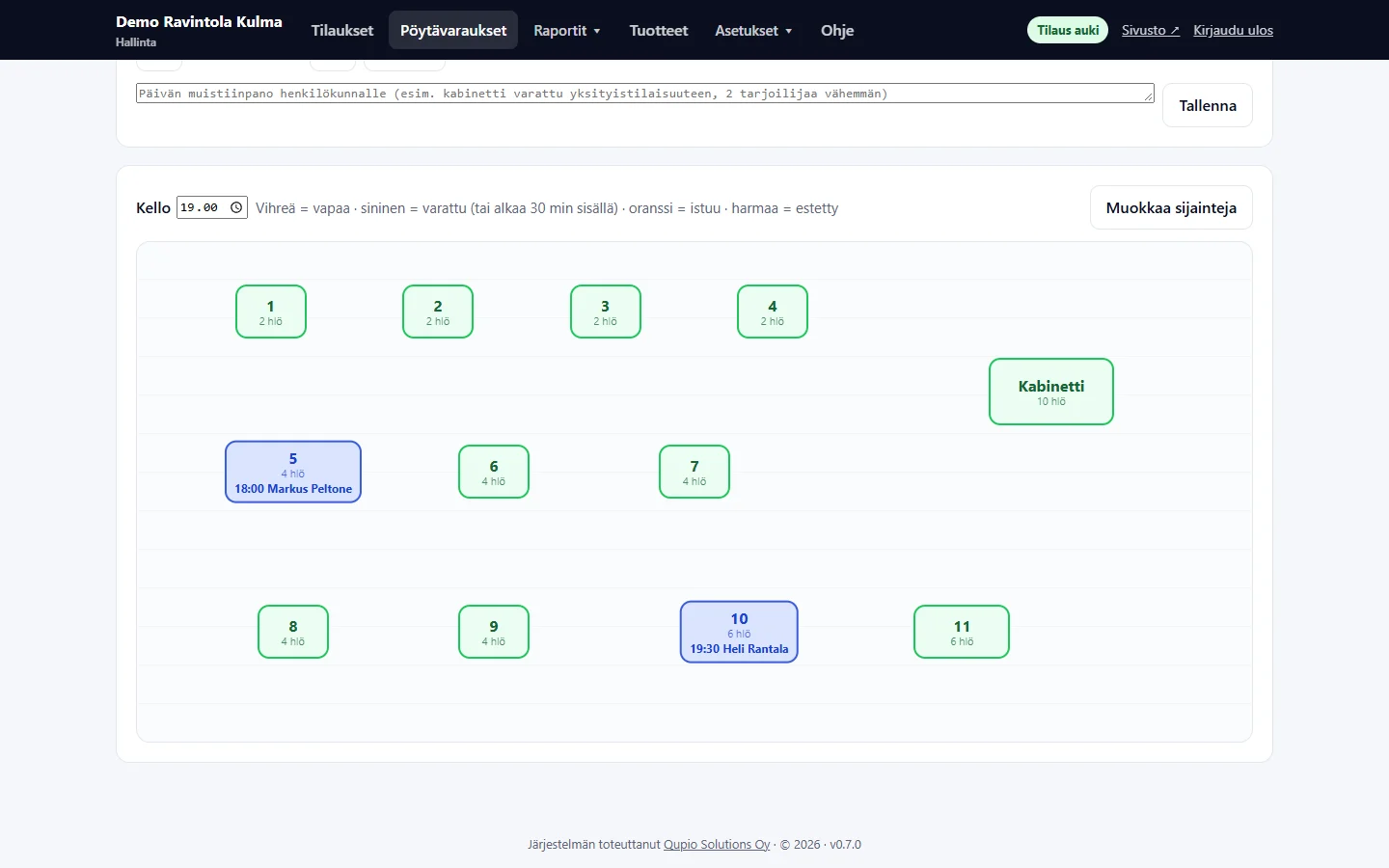
Table map and timeline
Drag the tables onto the map in the same layout as your dining room. At a chosen time the map shows which tables are free, booked or occupied – and the timeline shows the whole evening table by table.
- Drag tables into place to match your floor plan
- Colours: free, booked, seated and out of use
- Timeline by table in 15-minute steps
- Daily note for staff
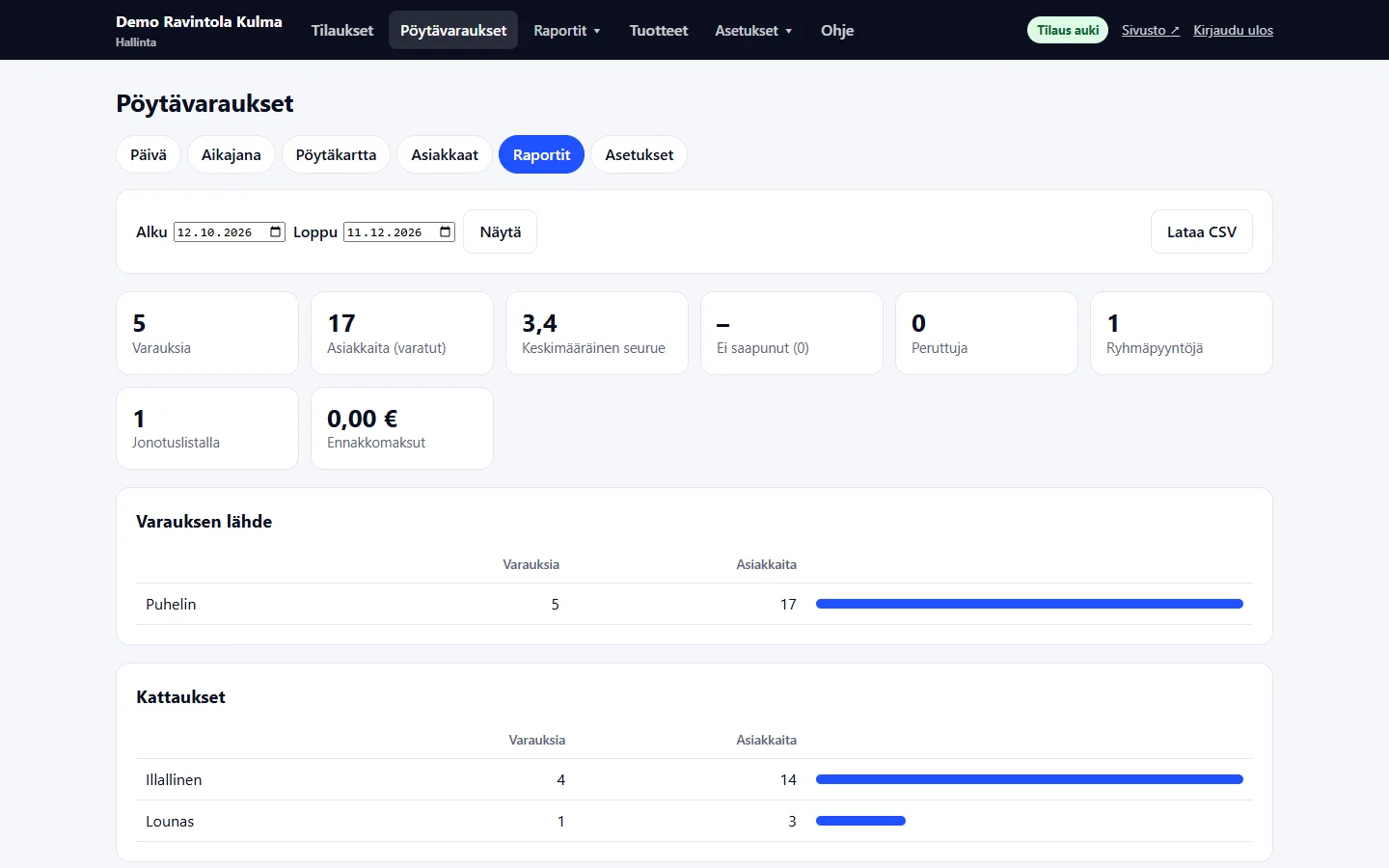
Sales and booking reports
The sales report breaks down VAT rates and payment methods for bookkeeping. The table booking report shows where bookings come from, which evenings fill up and how many guests don't show up.
- Sales, VAT breakdown, payment and delivery methods
- Bookings by source, sitting and weekday
- No-show rate, cancellations and prepayments
- CSV export for bookkeeping and spreadsheets
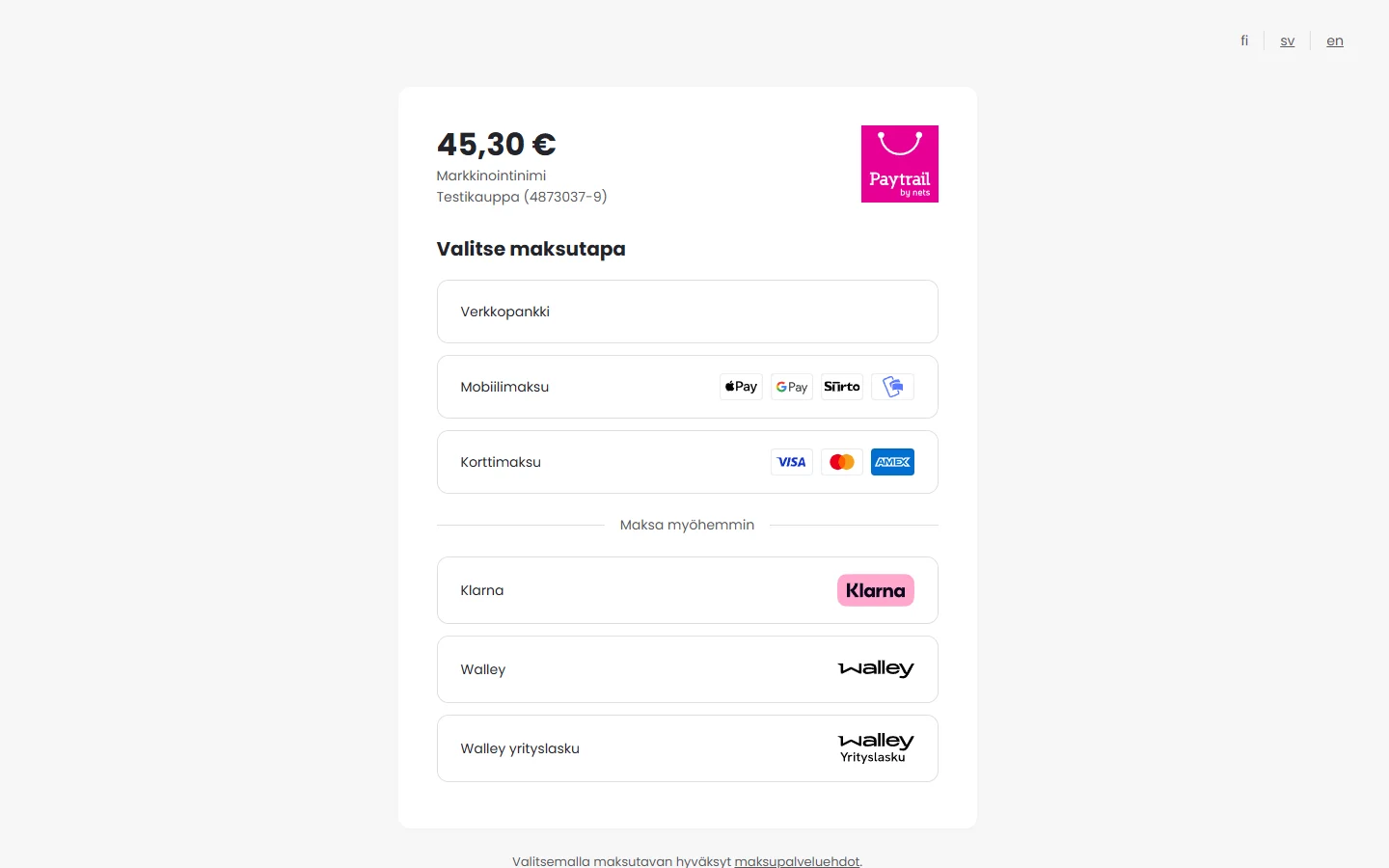
Payments straight to the restaurant's account
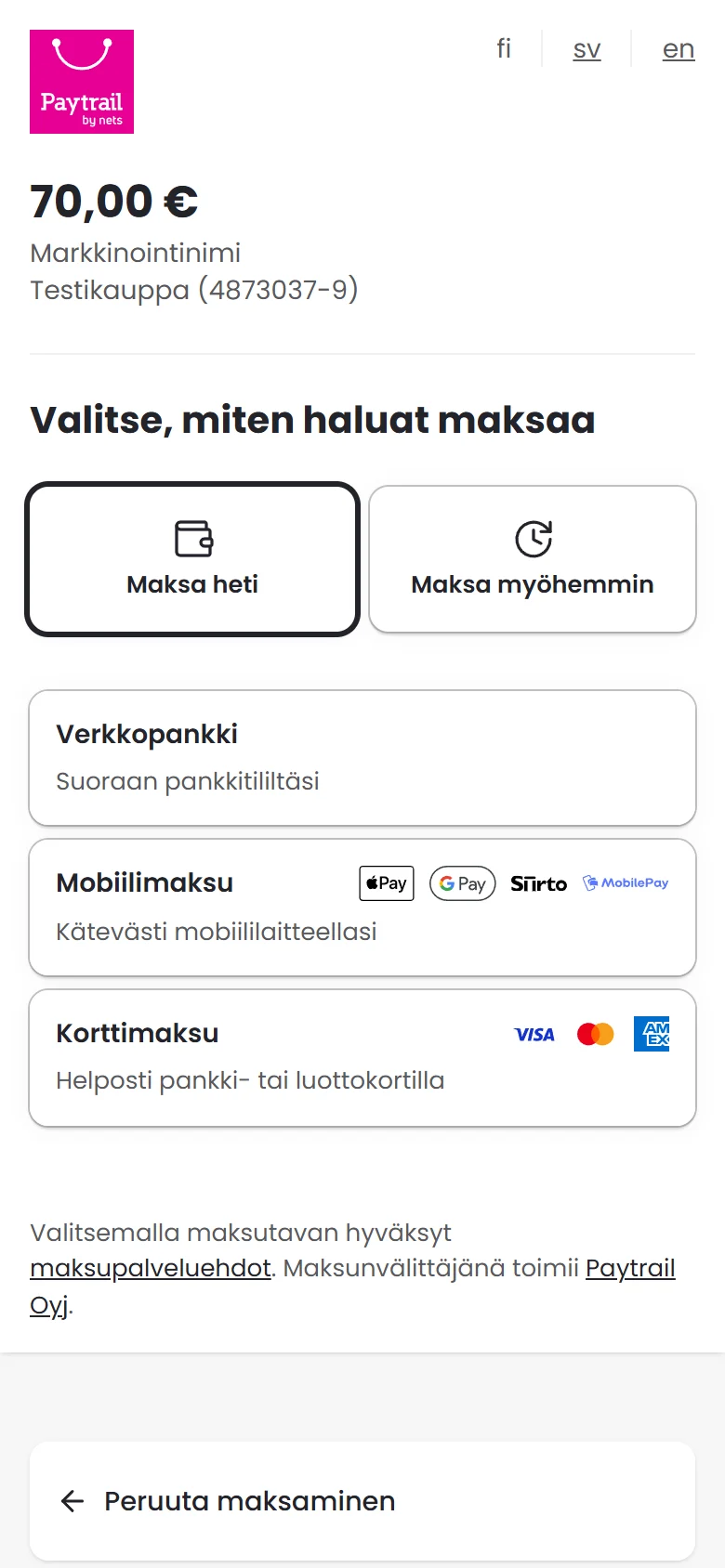
Online payments go through Paytrail: guests choose an online bank, a mobile payment or a card, and the order or prepayment is confirmed right after payment. The money is settled to the restaurant's own account – the system never sits in between. The available methods depend on the restaurant's own Paytrail agreement.
If you don't want online payments, guests can pay on site. The screenshot shows Paytrail's test environment.
Online payments – including table booking prepayments – can alternatively be taken through Stripe. Stripe has no monthly or setup fees – you only pay for completed payments. Stripe pricing ↗
Other food and hospitality businesses
The same system is adapted to other venues by changing products, sittings and rules. You may need only online ordering or only table booking – both also work on their own.
Lunch restaurant
The daily lunch menu online, pre-orders for pick-up and table booking for the lunch sitting.
Bistro and wine bar
Table booking for evening sittings, a weekend waitlist and prepayment for special evenings.
Café and bakery
Pre-orders of cakes and pastries for a pick-up day, and table booking for brunch.
Sushi and Asian restaurant
A large menu with options, delivery by postcode and take-away.
Private room and event venue
Group booking requests you confirm yourself, and prepayment for large parties.
Catering
Orders for a specific day, for pick-up or delivery, with products by number of guests.
Pizzerias and grills have their own versions: pizzeria ordering system and grill ordering system. All industries and systems: ordering and booking systems.
Customised to your restaurant
The screenshots show the standard version with a sample restaurant. In your restaurant, the menu, colours, sittings, tables, delivery area, payment methods, message wording and booking terms are set up your way. If you need something the standard version doesn't have – gift cards, a loyalty benefit or a POS integration – we'll work it out together and I'll build it.
Restaurant ordering and table booking – FAQ
Can I use online ordering without table booking?
Yes. Online ordering and table booking are parts of the same system, but either can be used on its own. Table booking can be switched on later when you need it.
How does the system decide where a party sits?
The restaurant enters its tables and seats. The system picks the smallest free table the party fits at, or combines two tables in the same group for a larger party. You can always change the table manually from the day list.
What if a guest doesn't show up?
Guests get a reminder before their booking and can cancel it themselves from the confirmation link, which frees the table and alerts the waitlist. For large parties and special evenings you can ask for a prepayment, and the report shows how many guests don't show up.
Do I need a table map?
No. Bookings work with just a list of tables or even just the number of seats. The table map is a tool for the floor: it shows at a glance which table is free.
Who receives the online payments?
The restaurant itself. Online payments run on the restaurant's own Paytrail agreement or Stripe account, and the payment service settles the money to the restaurant's bank account minus its service fees. You can also leave payment entirely to the venue.
Does it work with my current website?
If your website is built on WordPress, the system can usually be added straight to it. Otherwise ordering and booking can run on their own page that you link to from your current site – or I can build a new website at the same time.
Ready to take your online presence to the next level?
Tell me about your situation – you'll get a clear, fixed-price quote and a straight answer on what makes sense for your business.