

Grill ordering system
Burgers, kebabs and meals ordered straight from the grill's own website – also suits burger restaurants, kebab restaurants and food trucks. Customers choose the meal and sauce and pick up without queuing, and the order reaches the kitchen screen without middlemen. The screenshots are from the real system with a sample grill.
Order ahead, pick up without queuing
At a grill, customers want their food fast. When the order is placed by phone on the way, the food is ready when the customer arrives – and the counter has more time for people ordering on the spot.
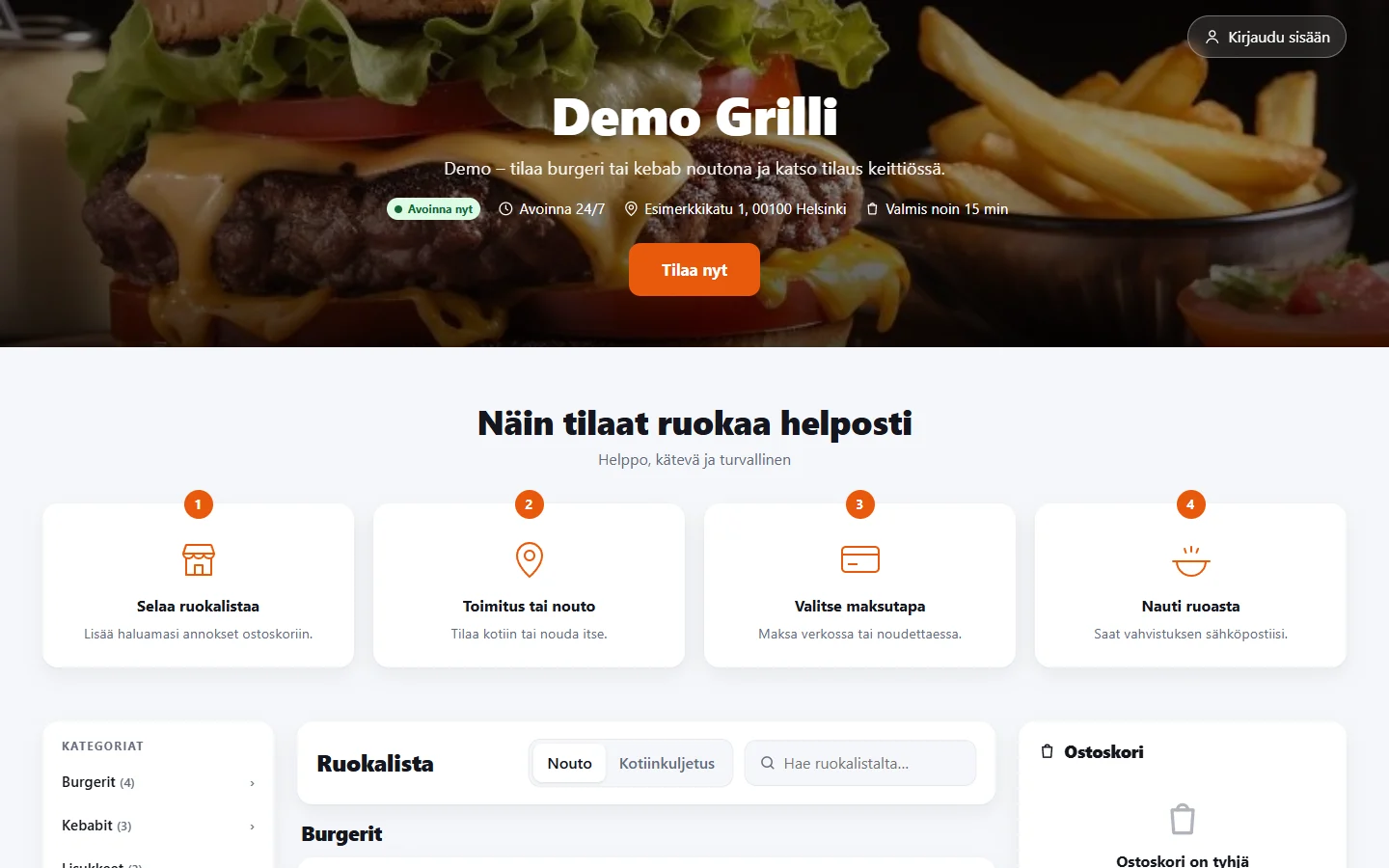
Ready time shown right away
The front page shows whether the grill is open and how long the order will take. You adjust the ready time yourself – longer on a busy evening, shorter on a quiet afternoon.
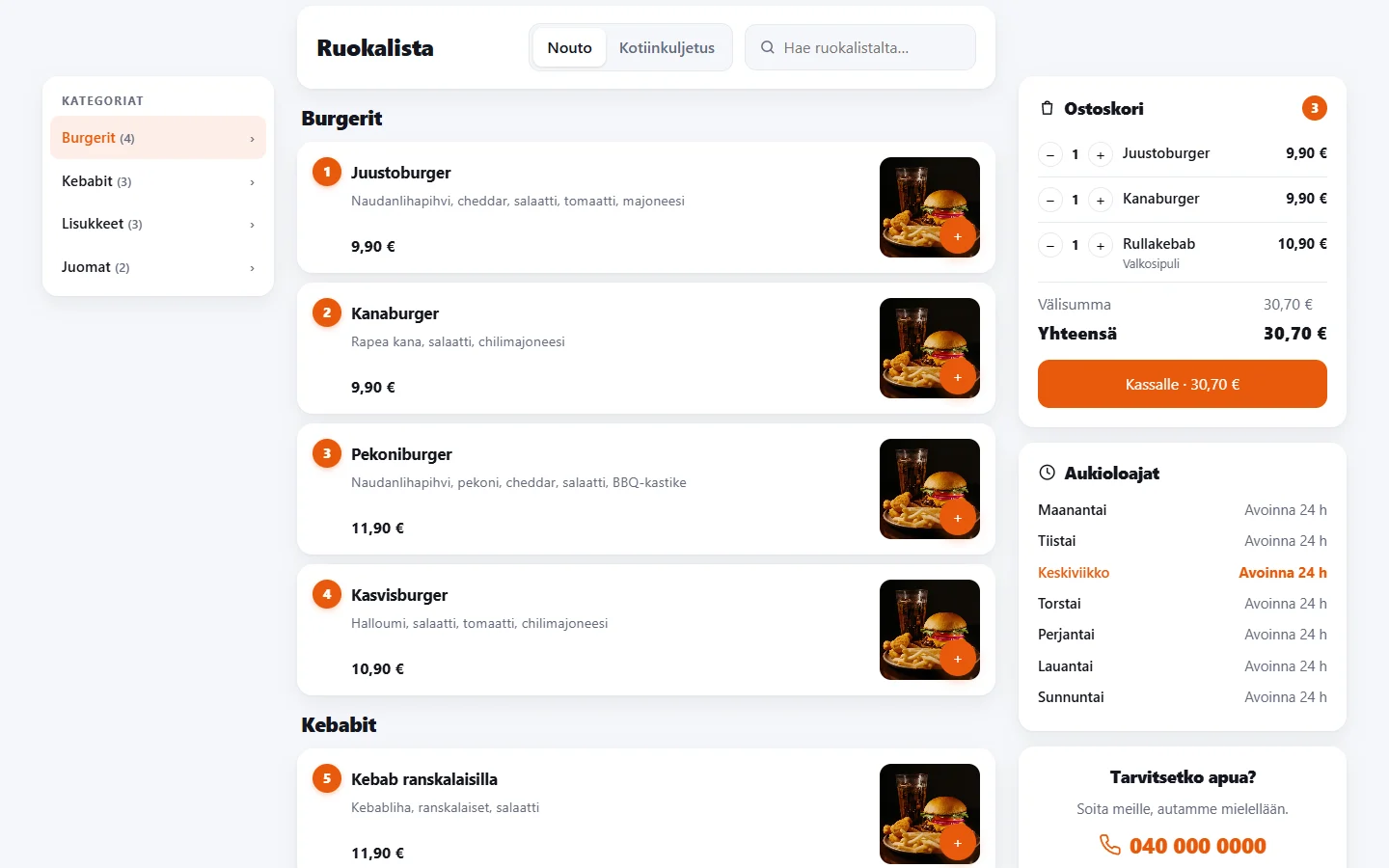
- Burgers, kebabs, sides and drinks as categories
- Estimated ready time and pick-up address
- The grill's own photo, logo and brand colour
- Ordering closes automatically outside opening hours
Meals and sauces as options
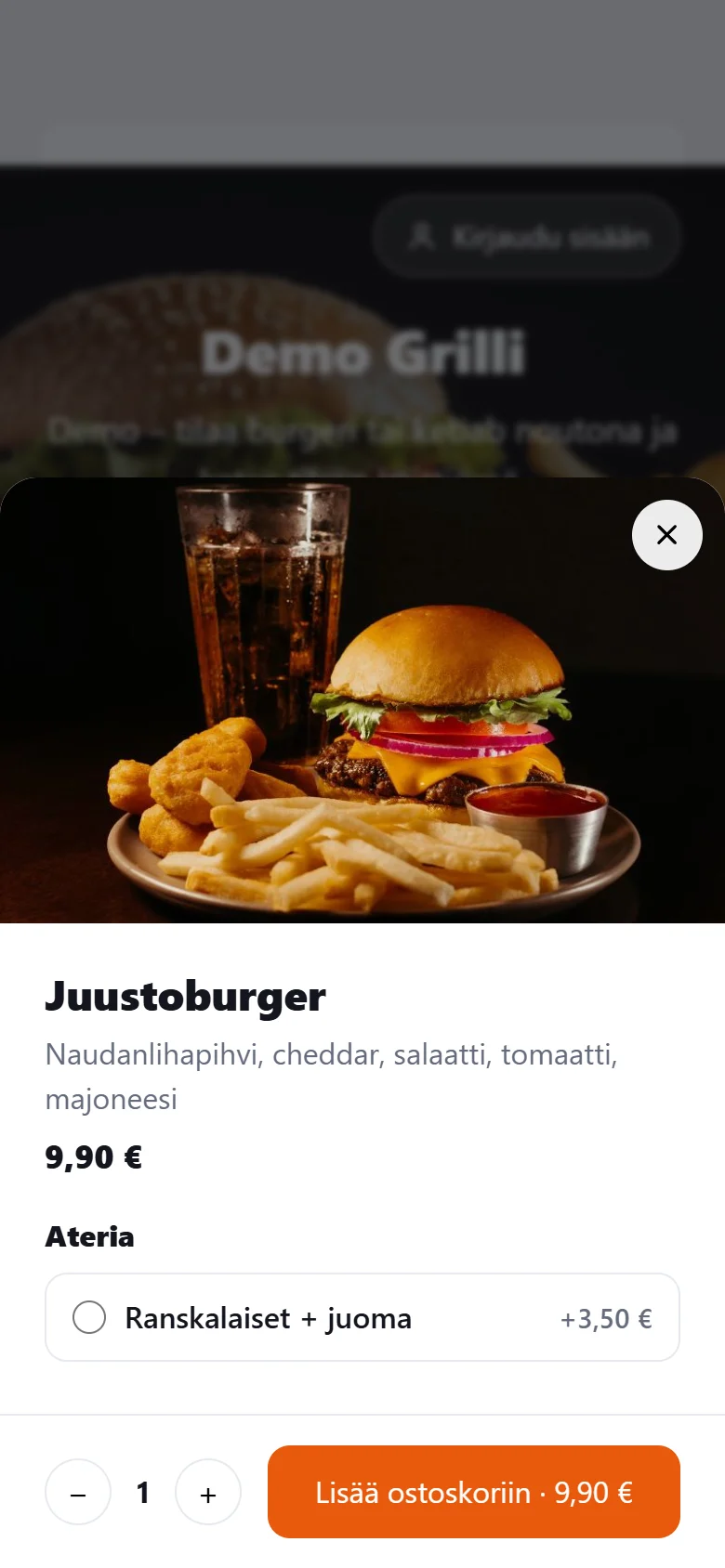
A burger becomes a meal with one choice, and a kebab gets its meat and sauce. Extra charges are added automatically, and the kitchen sees every choice on the order.
- Meal: fries and a drink for an extra charge
- Sauce, meat and side options
- Required and optional choices
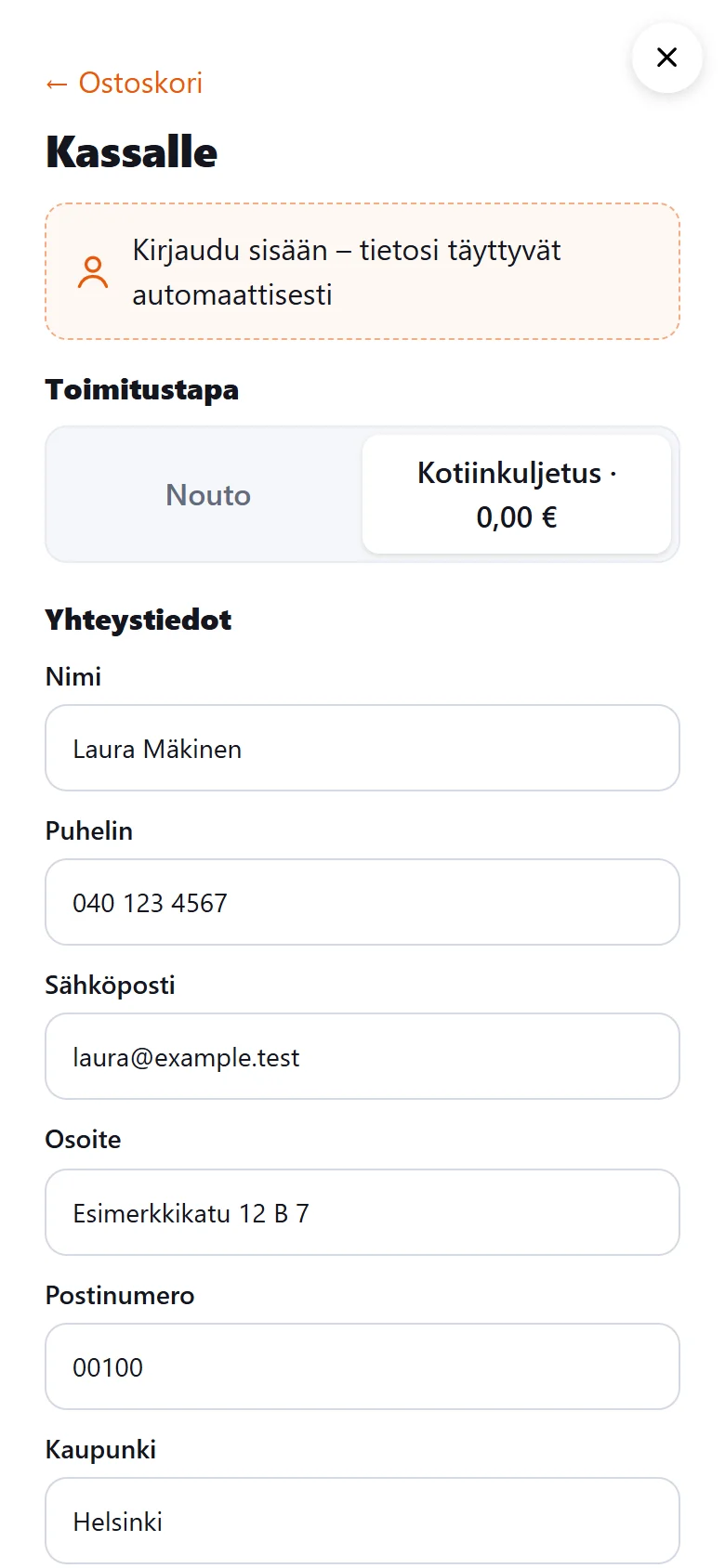
- Checkout designed for phones first
Home delivery when you want it
If the grill delivers, home delivery can be switched on for your own area by postcode. If not, ordering is pick-up only – the cart and checkout adapt accordingly.
- Pick-up only, or pick-up and delivery
- Delivery fee and minimum order
- Payment online or on pick-up
- The cart is kept even if the customer closes the page
A clear view, even for the Friday-night rush
The order view is made to be read from a distance and used with greasy fingers: big cards, clear statuses and one tap to the next step.
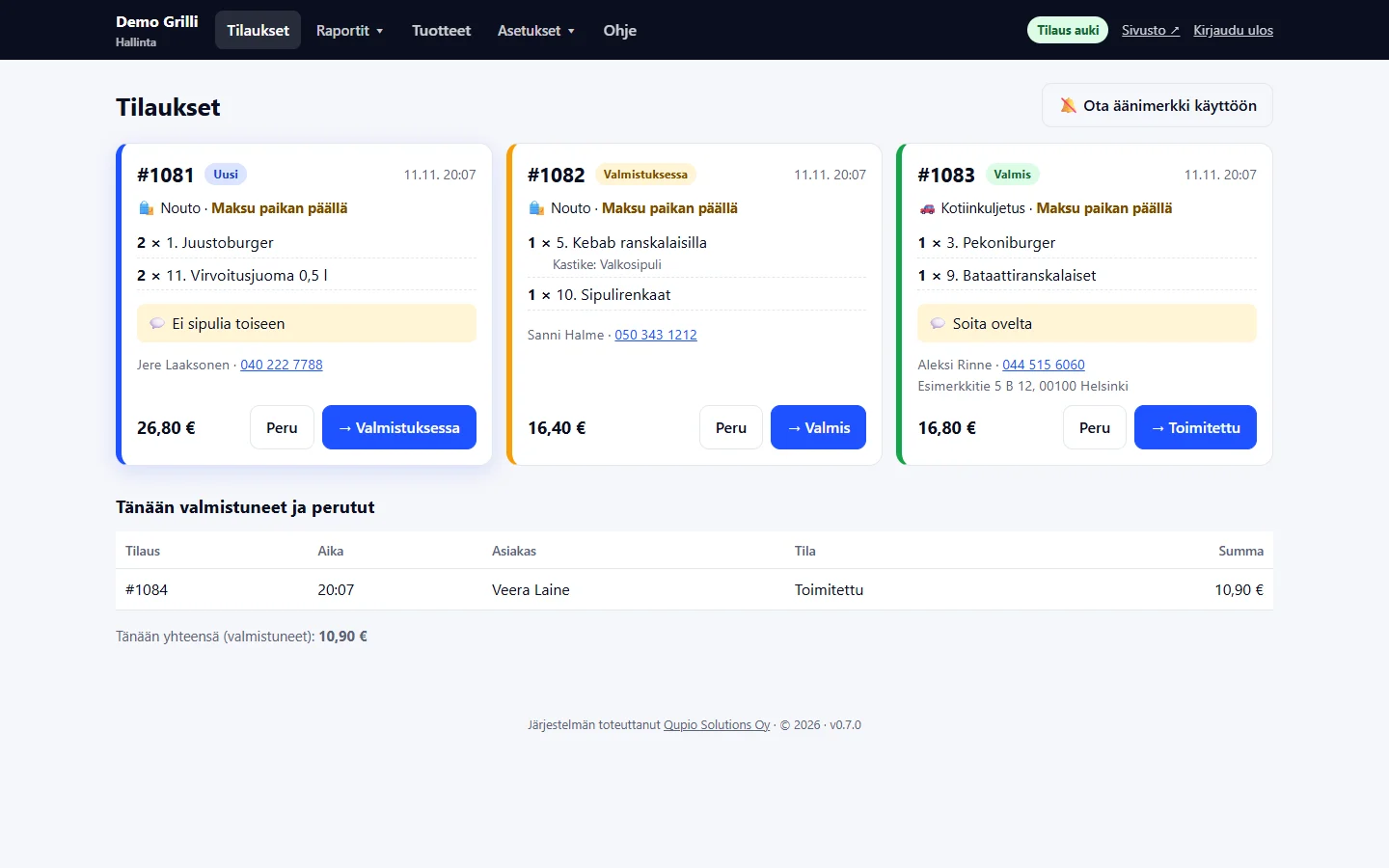
Orders on cards
A new order rings and appears on its own card. The card shows the items with options, pick-up time, payment method and the customer's phone number.
- Sound alert for new orders
- To preparation and ready with one tap
- Pause online ordering instantly if the kitchen is overloaded
- Works on a tablet, computer and phone
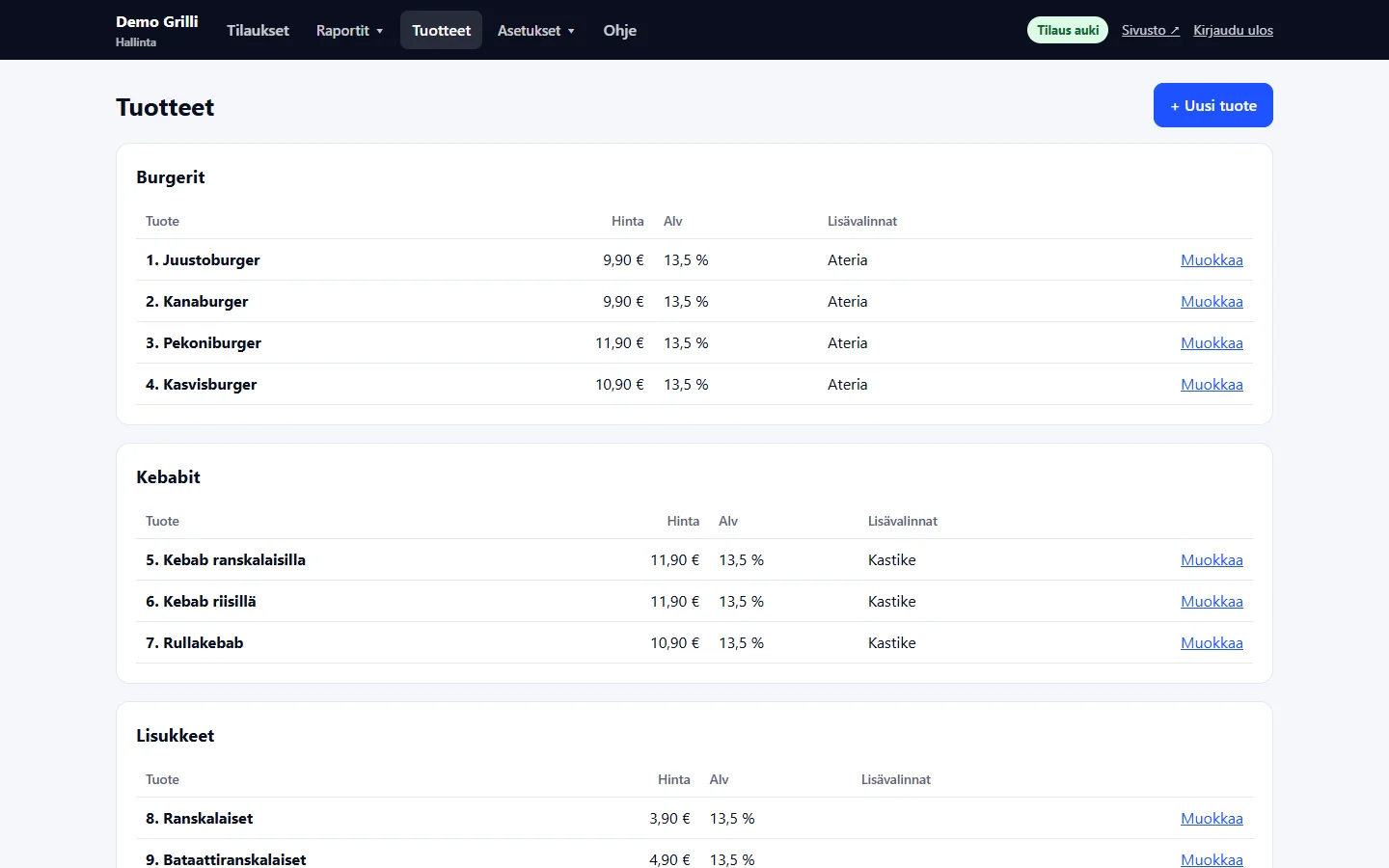
Menu and prices yourself
Add the burger of the month, change prices or take an item off sale when it runs out mid-evening. The change shows on the ordering page immediately.
- Products, photos and descriptions
- Options and their prices
- Take an item off sale with one selection
- Sales report with a VAT breakdown for bookkeeping
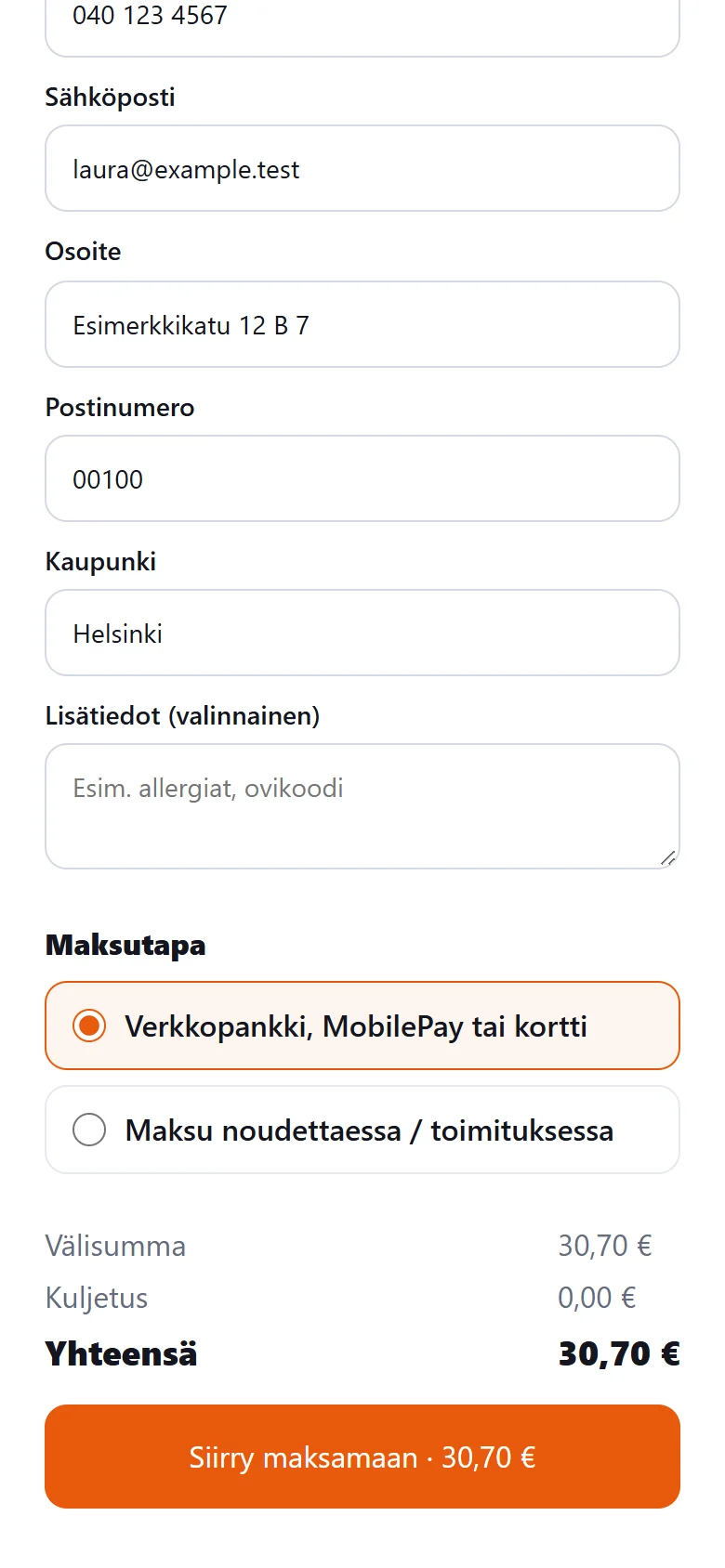
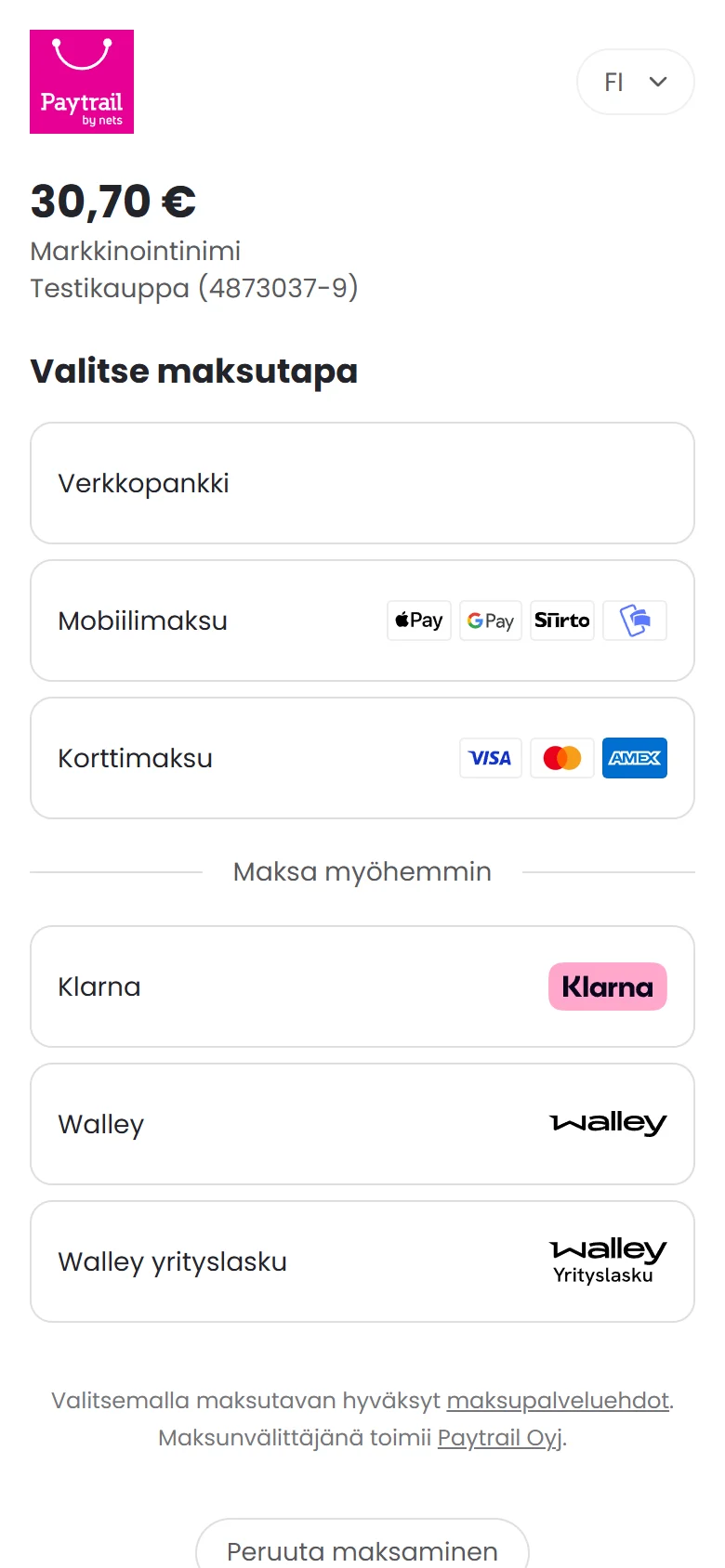
A paid order gets picked up
When customers pay as they order, food isn't left uncollected. Payment is made through Paytrail with an online bank, mobile payment or card, and the money is settled to the grill's own account.
You can also offer payment on pick-up – for example the way your regulars are used to. The screenshot shows Paytrail's test environment.
Alternatively, online payments can be taken through Stripe. Stripe has no monthly or setup fees – you only pay for completed payments. Stripe pricing ↗
Other fast food places
The same system works anywhere food is ordered quickly and picked up at the counter.
Burger restaurant
Meals, double patties and sides as choices, pick-up without queuing.
Kebab restaurant
Meat, sauce and portion size as options, delivery in your own area.
Food truck and street food
Pre-orders for pick-up and online payment when the queue is long.
Pizzerias have their own version: pizzeria ordering system. All industries and systems: ordering and booking systems.
Customised to your grill
The screenshots show the standard version with a sample grill's products. In your grill, products, meal options, prices, colours, opening hours, ready time and payment methods are set up your way. Special needs, such as a lunch offer at certain hours, I build separately.
Grill ordering system – FAQ
Can a grill offer pick-up only, without delivery?
Yes. Home delivery is optional, and without it customers only see pick-up. Delivery can be switched on later for your own area.
How does the customer know when the food is ready?
The ordering page shows the estimated ready time, which you adjust in the dashboard, and the same information is in the order confirmation email.
What if the kitchen gets overloaded?
You can close online ordering from the dashboard instantly or lengthen the ready time. When the rush eases, reopen ordering from the same place.
Can a burger be turned into a meal with an option?
Yes. A meal, sauce, meat or side is added to the product as an option with its own price, and the choices are shown on the kitchen order.
Does it work without a website?
The ordering system needs a website to run on. If the grill doesn't have one yet, I'll build it at the same time – or the system can start as a simple ordering page you link to, for example from your Google Business Profile.
Ready to take your online presence to the next level?
Tell me about your situation – you'll get a clear, fixed-price quote and a straight answer on what makes sense for your business.