

Pizzeria ordering system
Online ordering on the pizzeria's own website – also suits kebab pizzerias, take-away restaurants and salad and wok bars, with products adapted to your menu. Customers choose the size, base and toppings, and the order lands straight on the kitchen screen with no per-order commission. The screenshots are from the real system with a sample pizzeria.
A pizza ordered in a couple of taps
In pizzeria orders, the options make the difference: size, base and toppings. The system calculates the price from the choices, so the customer sees the final total before ordering – and nobody has to read the topping list over the phone.
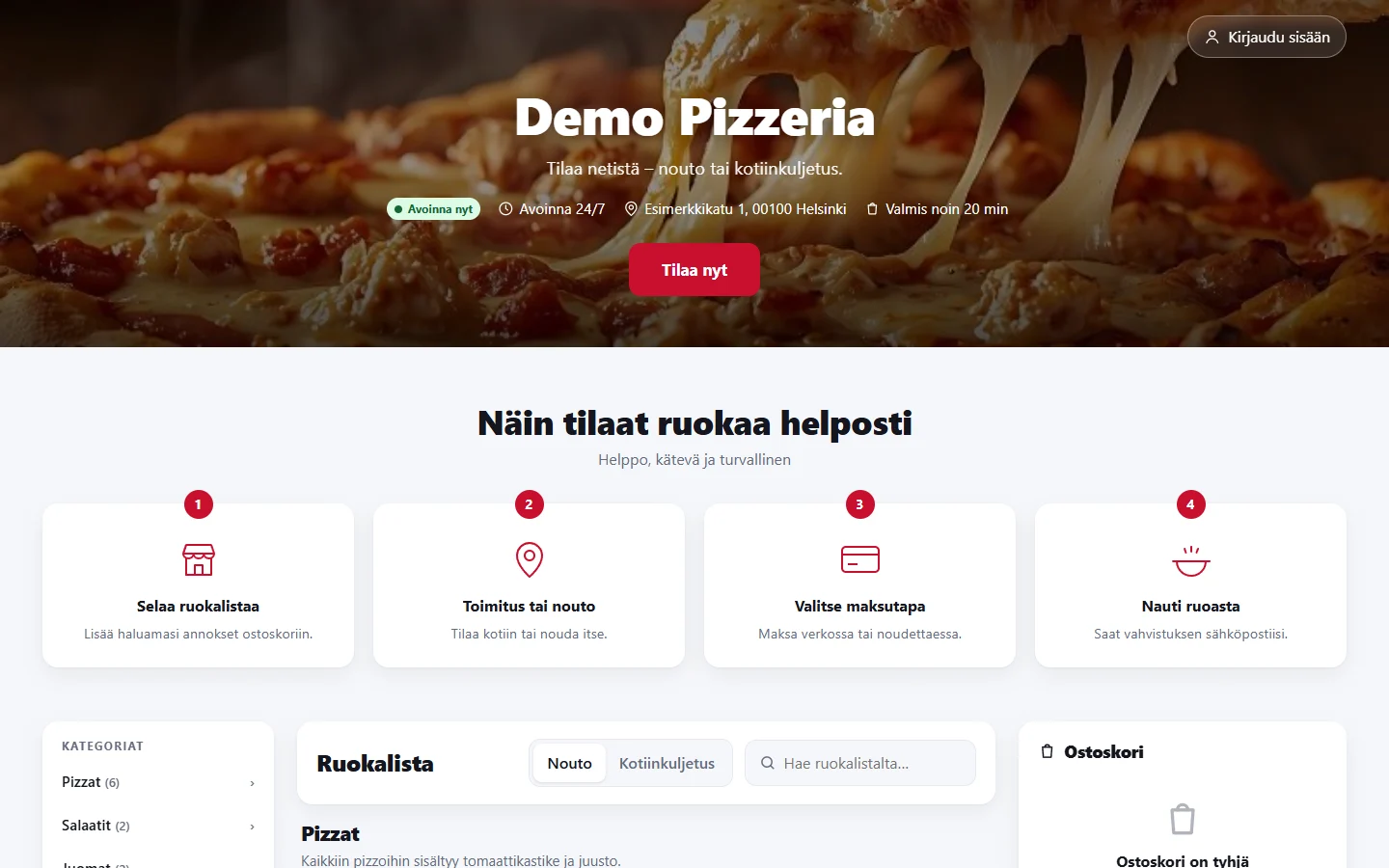
The pizzeria's own ordering page
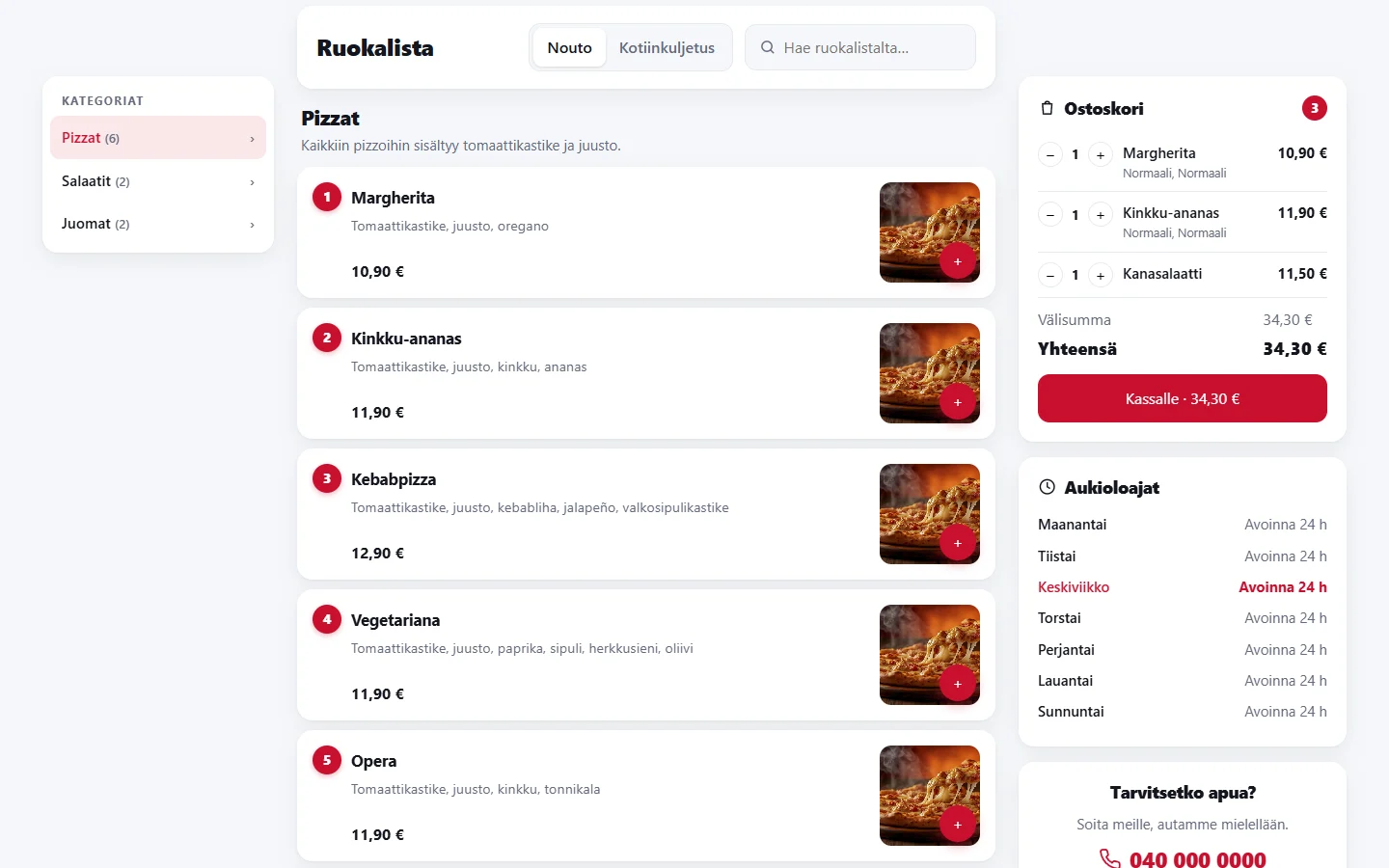
The ordering page has the pizzeria's name, photo and brand colour. Customers see right away whether you're open, how long the order takes and where to pick it up.
- Pizzas, salads and drinks as categories
- Automatic product numbers – the same numbers work for phone orders
- Estimated ready time and pick-up address
- Link to your Oiva food safety report if you wish
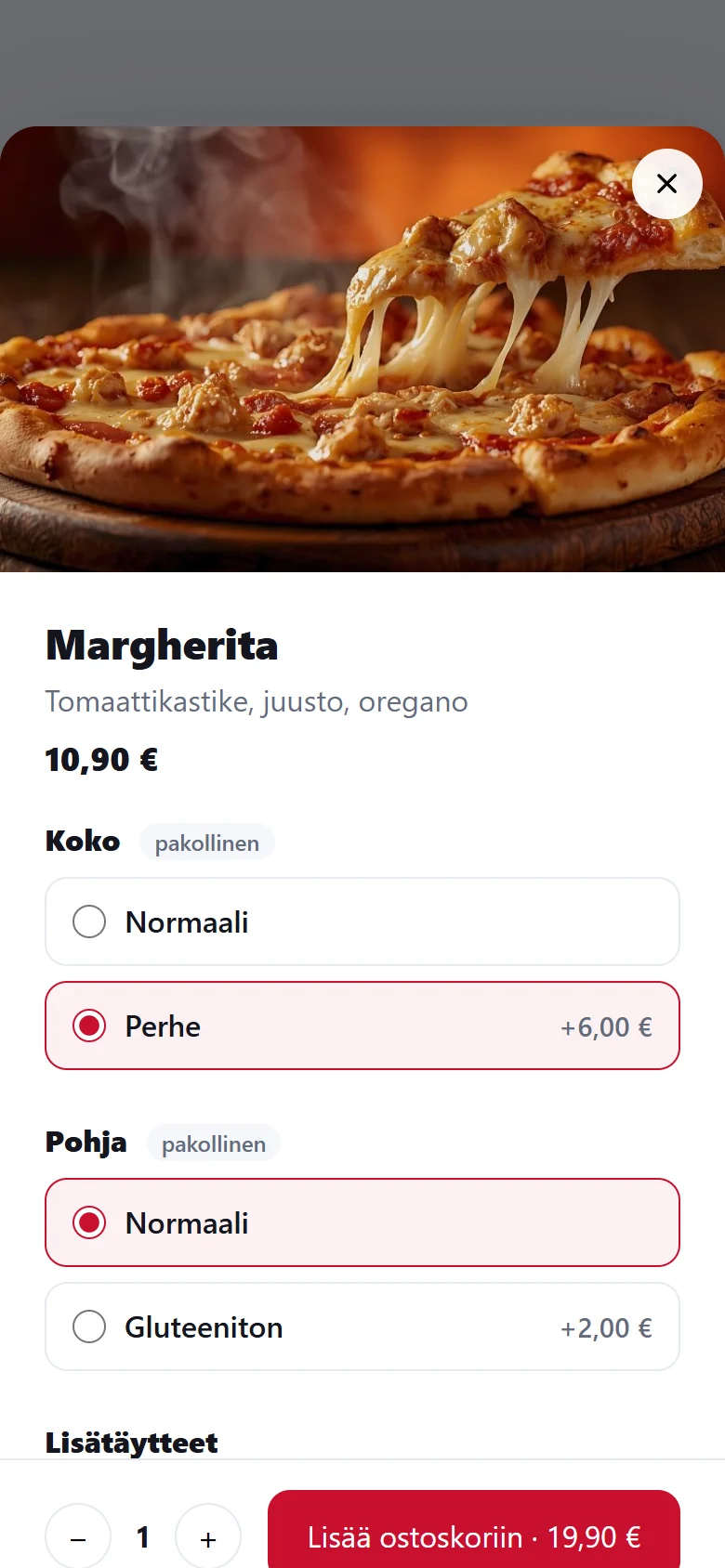
Size, base and extra toppings with prices
Every pizza gets its own options. A family size, gluten-free base or extra cheese raises the price automatically, and the choices are clearly visible on the kitchen order.
- Required choices such as size and base
- Priced extra toppings, including build-your-own pizzas
- Choices shown in the confirmation and the kitchen order
- Notes for the kitchen, e.g. allergies
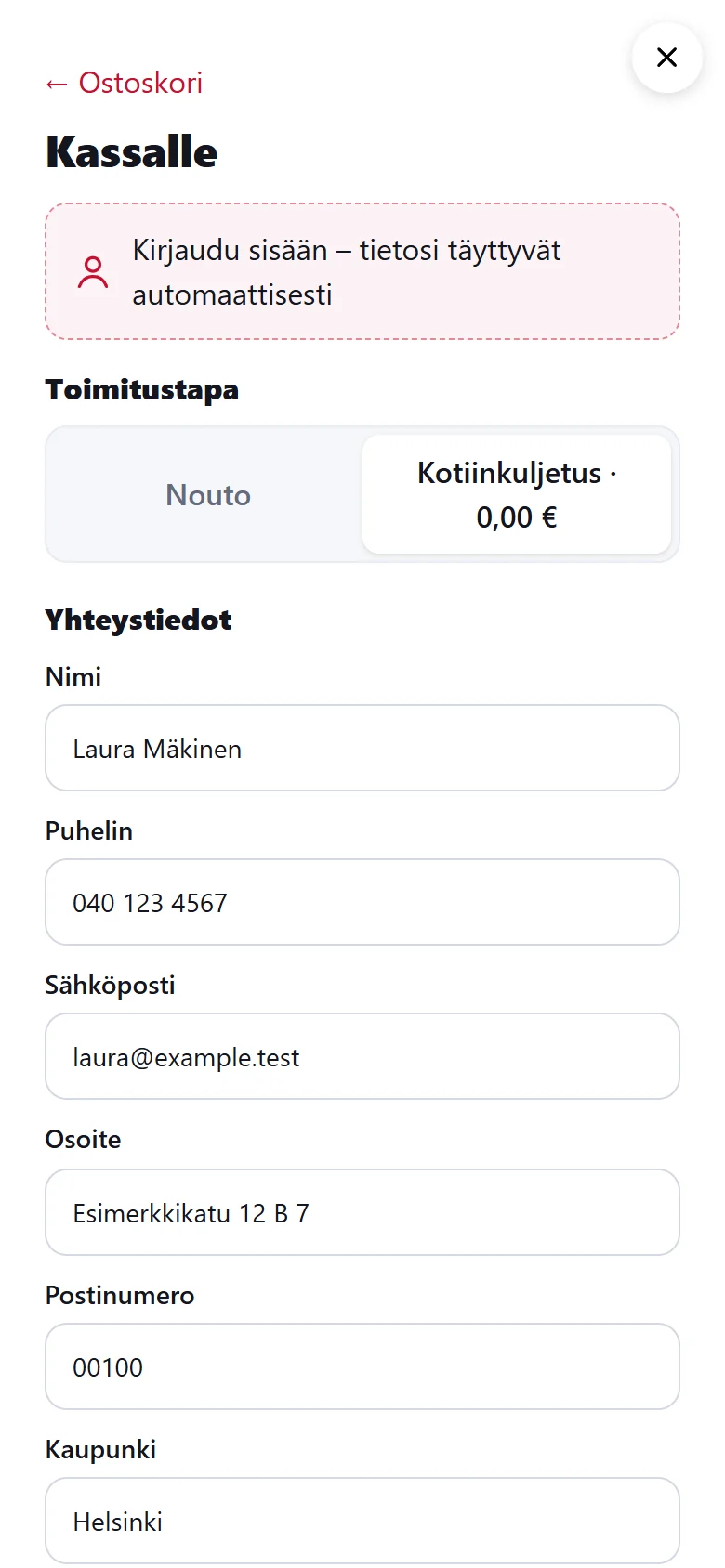
Pick-up or delivery in your own area
Delivery is limited to the postcodes the pizzeria drives to. The delivery fee and minimum order are calculated in the cart, and customers pay online or on pick-up.
- Delivery area by postcode
- Delivery fee and minimum order
- Paytrail online payment or payment on pick-up
- Order confirmation by email immediately
Orders next to the oven, products in your hands
The dashboard works on a kitchen tablet and on your phone at home. New orders appear with a sound alert, and you change prices, toppings and opening hours yourself.
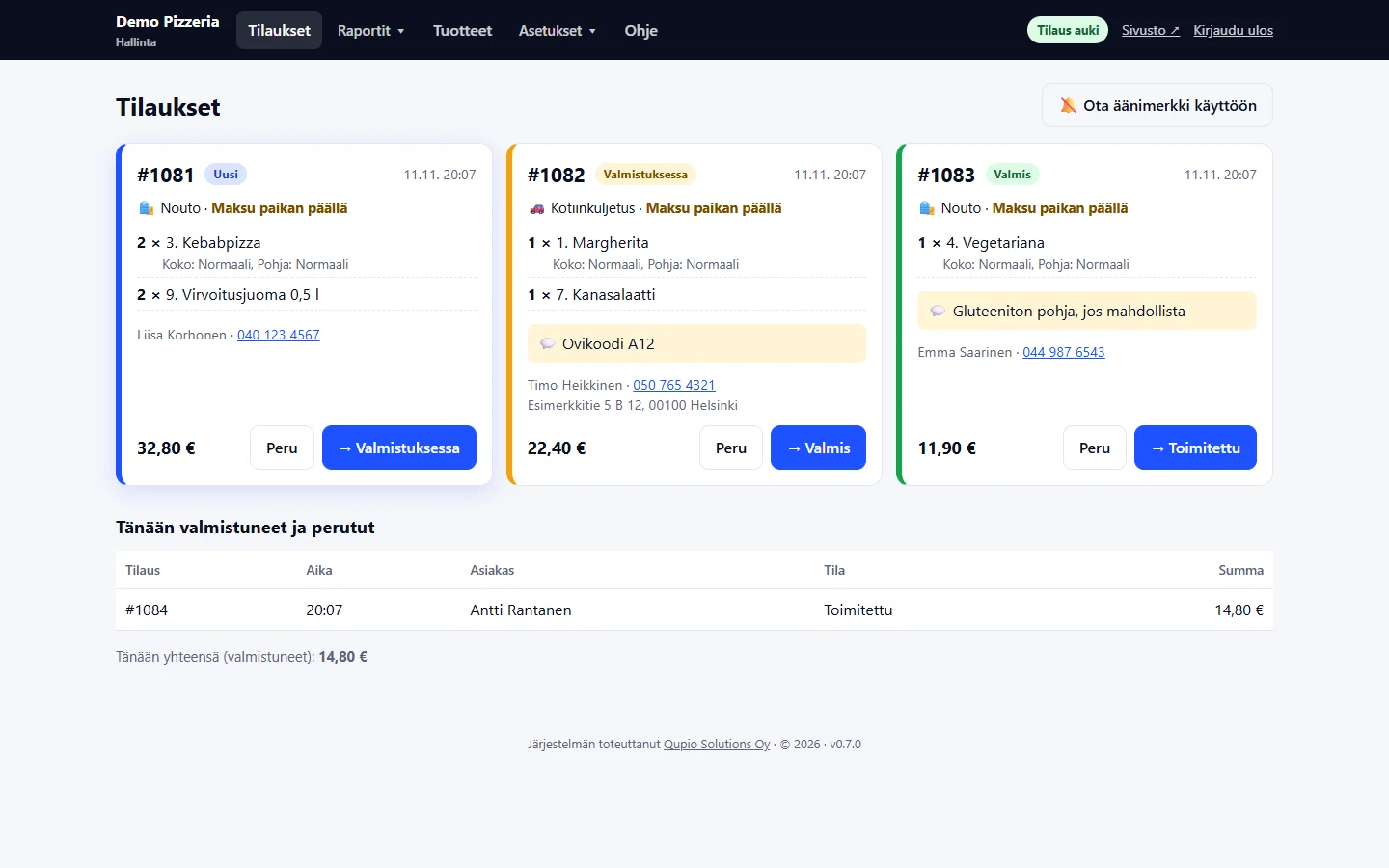
Order view for the kitchen
Each order is shown on a card: pizzas with options, pick-up or delivery, payment method and the customer's phone number. One tap moves the order to preparation and ready.
- Sound alert for new orders
- New, in preparation and ready in different colours
- Pause online ordering instantly if the oven is overloaded
- Today's completed and cancelled orders as a list
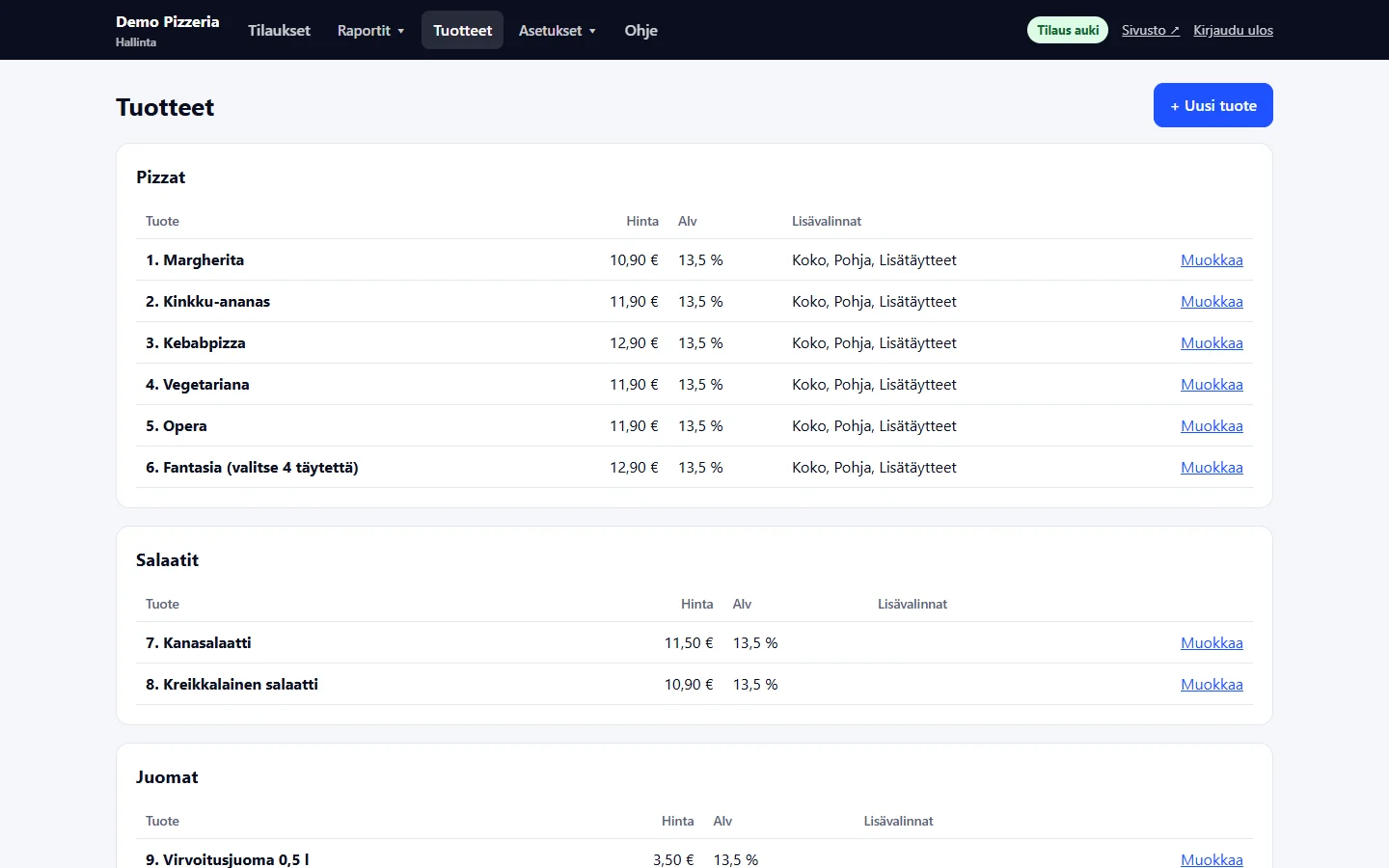
Products, prices and options
Add a new pizza, change a price or take a product off sale for a while when an ingredient runs out. Changes show on the ordering page immediately.
- Products by category and numbered
- VAT rate per product
- Product photos and descriptions
- Opening hours and closed days
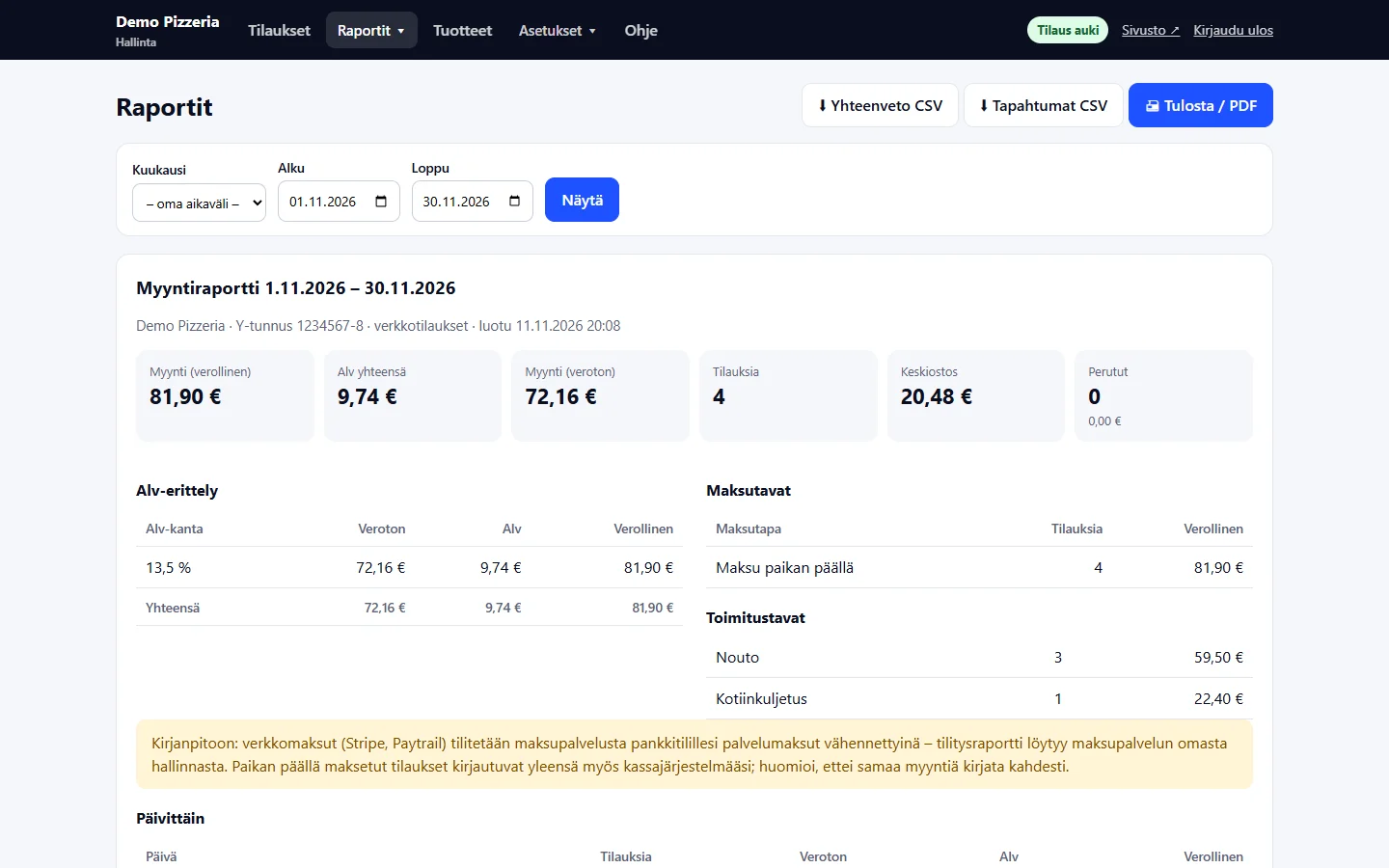
Sales report for bookkeeping
The report collects the chosen period's sales by VAT rate, payment method and delivery method. Print it, save it as a PDF or export it as CSV for your accountant.
- Gross and net sales with a VAT breakdown
- Pick-up and delivery separated
- Daily sales and average order
- Event log of every order change
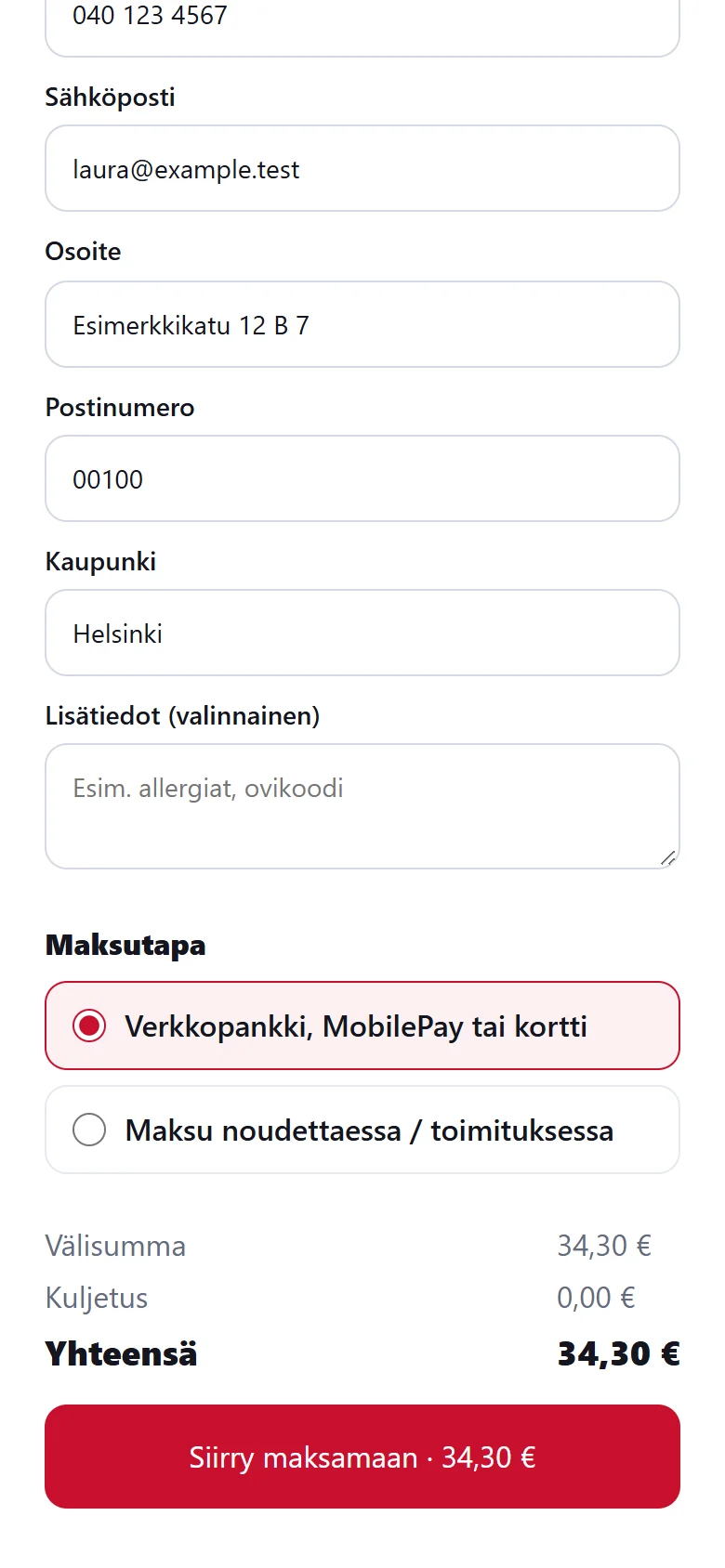
Paid before the pizza goes in the oven
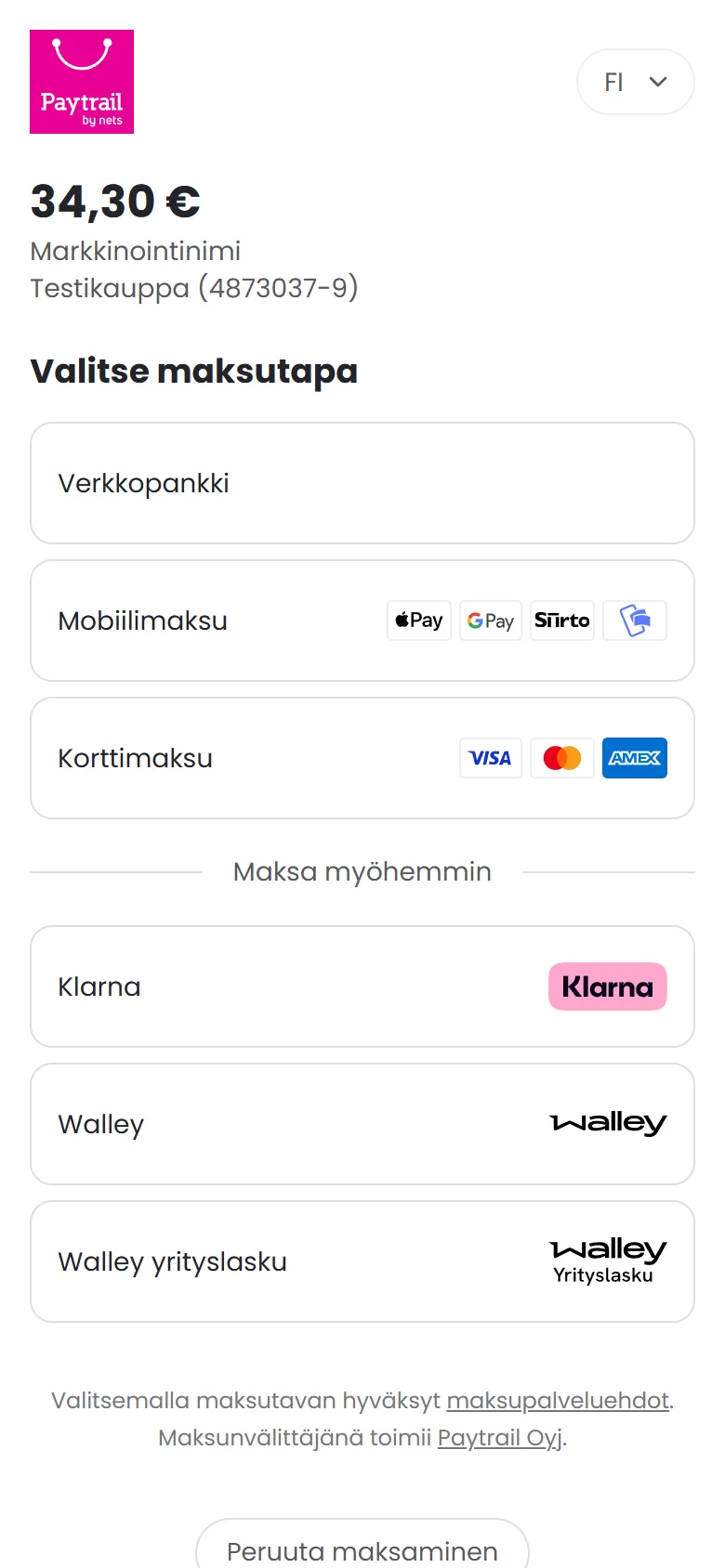
An order paid online is a sure order: the customer pays through Paytrail with an online bank, mobile payment or card, and the order reaches the kitchen only after a successful payment. The money is settled to the pizzeria's own account.
Payment on pick-up or delivery works too – you can offer both side by side. The screenshot shows Paytrail's test environment; available methods depend on your own Paytrail agreement.
Alternatively, online payments can be taken through Stripe. Stripe has no monthly or setup fees – you only pay for completed payments. Stripe pricing ↗
Other take-away places
Ordering built on options suits any place where customers put their own meal together.
Kebab pizzeria
Pizzas and kebabs on the same menu, sauces and meats as options.
Take-away restaurant
Pick-up orders with a ready time and payment when ordering.
Salad and wok bar
Base, protein and sauce as choices – customers build their own meal.
Grills have their own version: grill ordering system. For restaurants with table booking: restaurant ordering and table booking system.
Customised to your pizzeria
The screenshots show the standard version with a sample pizzeria's products. In your pizzeria, products, toppings, prices, colours, opening hours, delivery area and payment methods are set up your way. If you need, for example, lunch pizzas at certain hours or a loyalty benefit, I'll build it.
Pizzeria ordering system – FAQ
How is your own ordering system different from food delivery apps?
With your own system, customers order straight from the pizzeria's website, and no commission goes to a marketplace on each order. Customer details and order history stay with the pizzeria. You can still use a delivery app alongside it if you want to be visible there too.
Can extra toppings have different prices?
Yes. Every option has its own price, and options can be required (such as size) or optional (extra toppings). The price updates for the customer as they choose.
How does an order reach the kitchen?
The order appears in the dashboard's order view with a sound alert – on a tablet, computer or phone. You also get an email notification for every order.
Can I close ordering in the middle of the evening?
Yes. Online ordering can be closed from the dashboard instantly, and it closes automatically outside opening hours and on closed days you set.
Do I need online payments?
No. You can use only payment on pick-up or delivery, only online payments, or both. Online payments run on the pizzeria's own Paytrail agreement.
Ready to take your online presence to the next level?
Tell me about your situation – you'll get a clear, fixed-price quote and a straight answer on what makes sense for your business.