

Beauty salon booking system
Online booking on the beauty salon's own website – also suits nail and lash studios, spas and foot care clinics, with treatments and durations adapted to your field. Customers combine treatments in one visit and choose their therapist, and time is left between treatments for preparation and cleaning. The screenshots are from the real system with a sample salon.
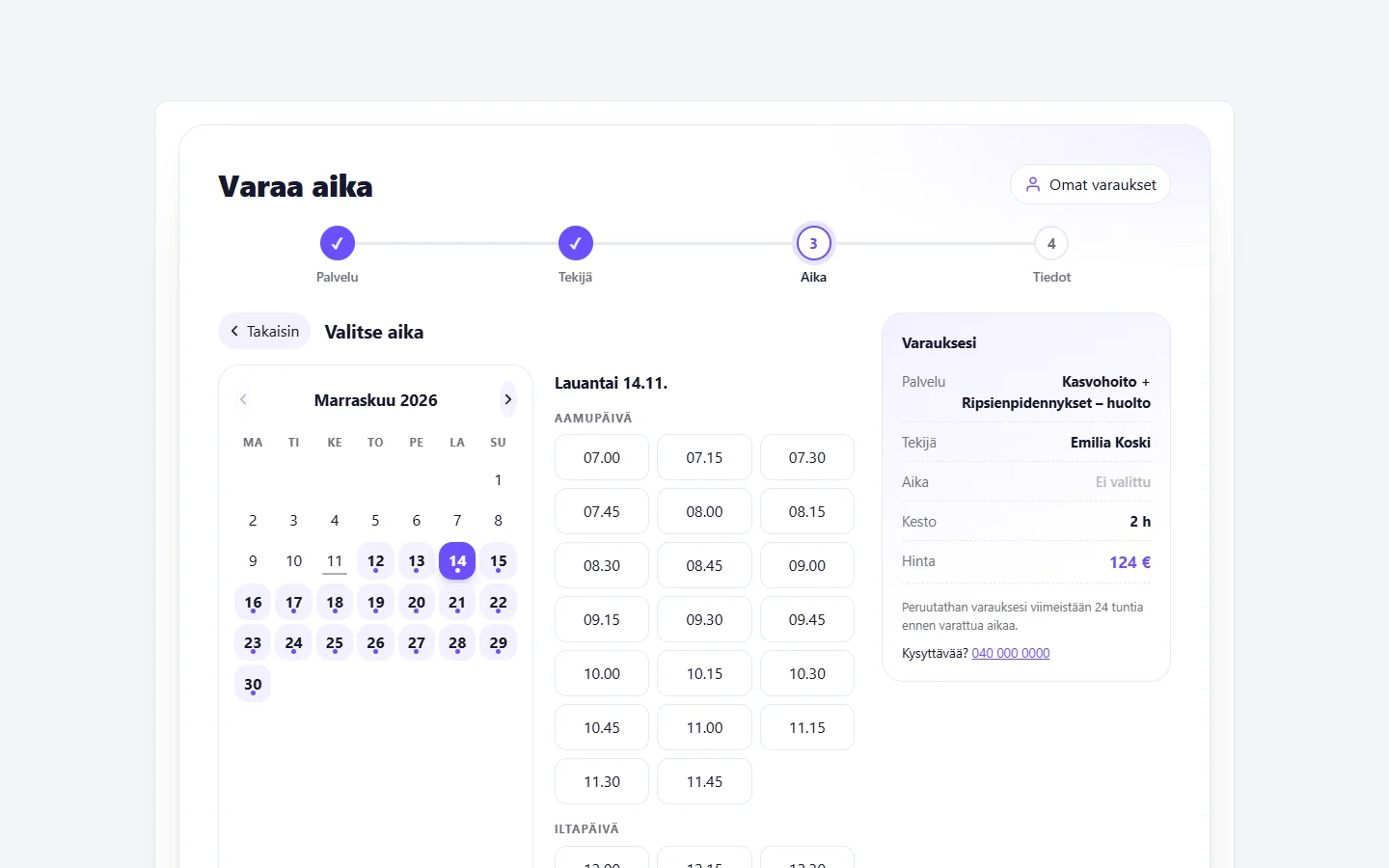
Facials, lashes and nails – booked in one go
Beauty treatments range from half an hour to several hours. The system knows each treatment's duration and only shows times where the chosen treatments fit.
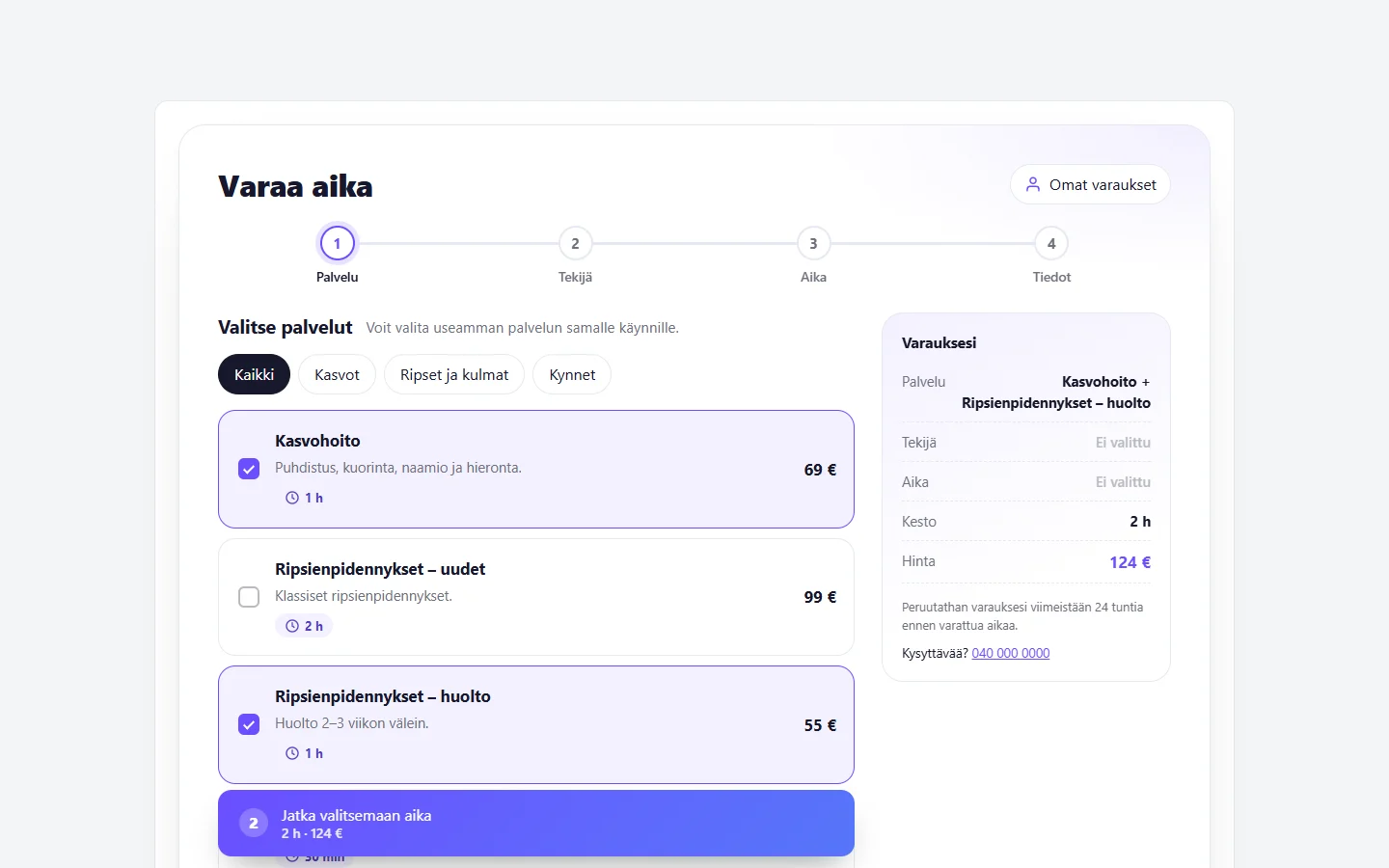
Treatments by category
Face, lashes and brows, nails – customers find the treatment quickly and can combine several in one visit. Every treatment shows its price and duration.
- Treatment categories as filters
- Fixed or "from" prices
- Several treatments in one visit
- A description for each treatment
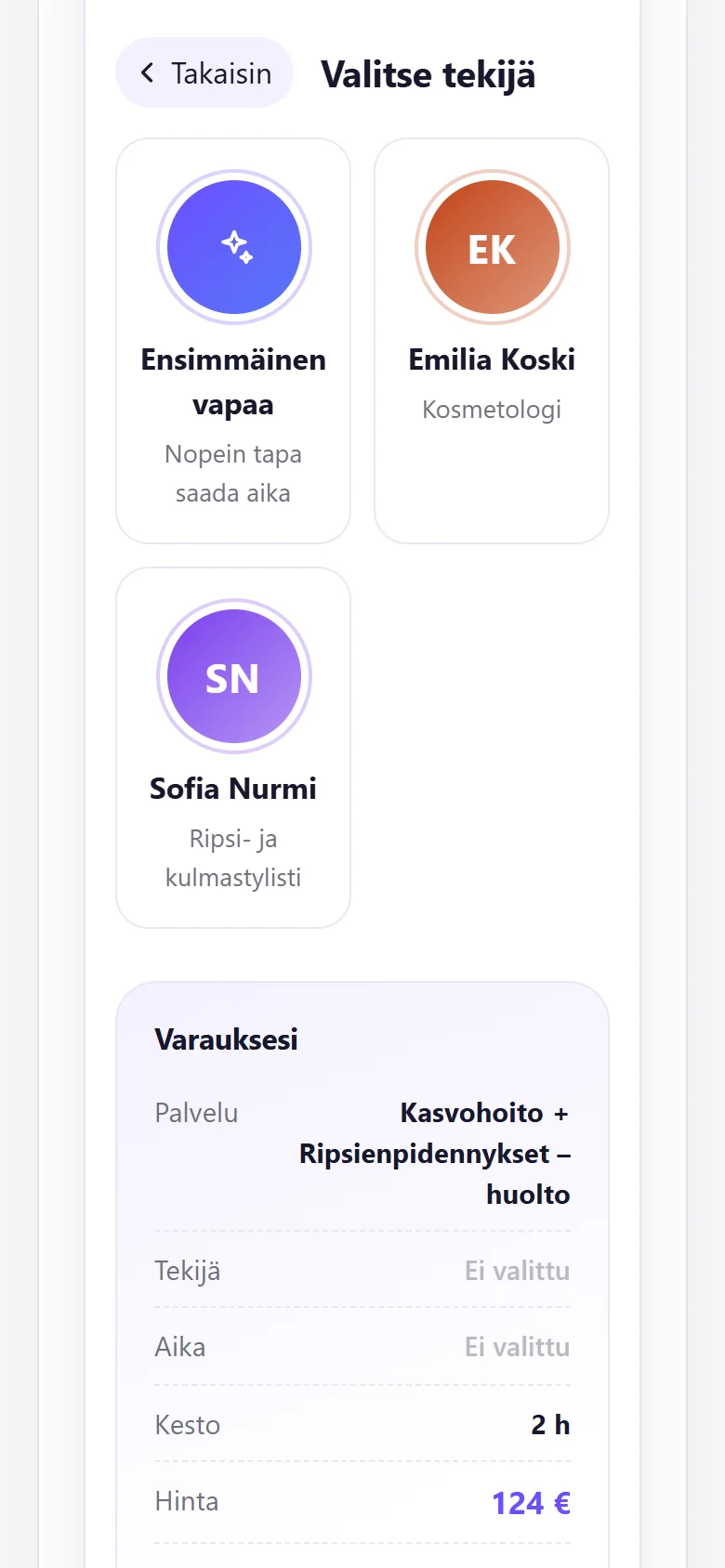
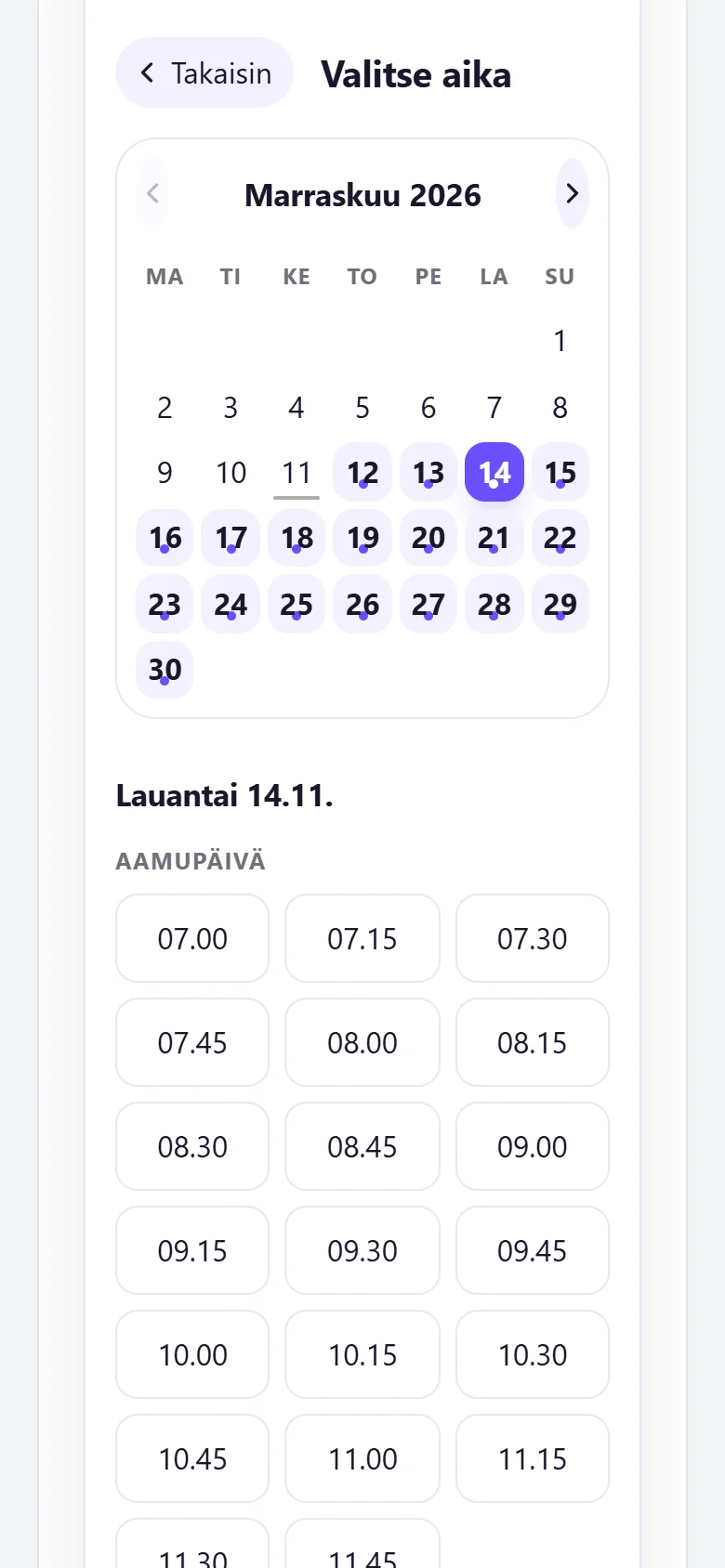
A therapist who does the treatment
Each therapist is assigned the treatments they do. The lash technician gets no pedicure bookings, and customers only see therapists who do the chosen treatment.
- Treatments per therapist
- Own therapist or first available
- Only genuinely free times in the calendar
- Morning, afternoon and evening times grouped
Prepayment for long treatments
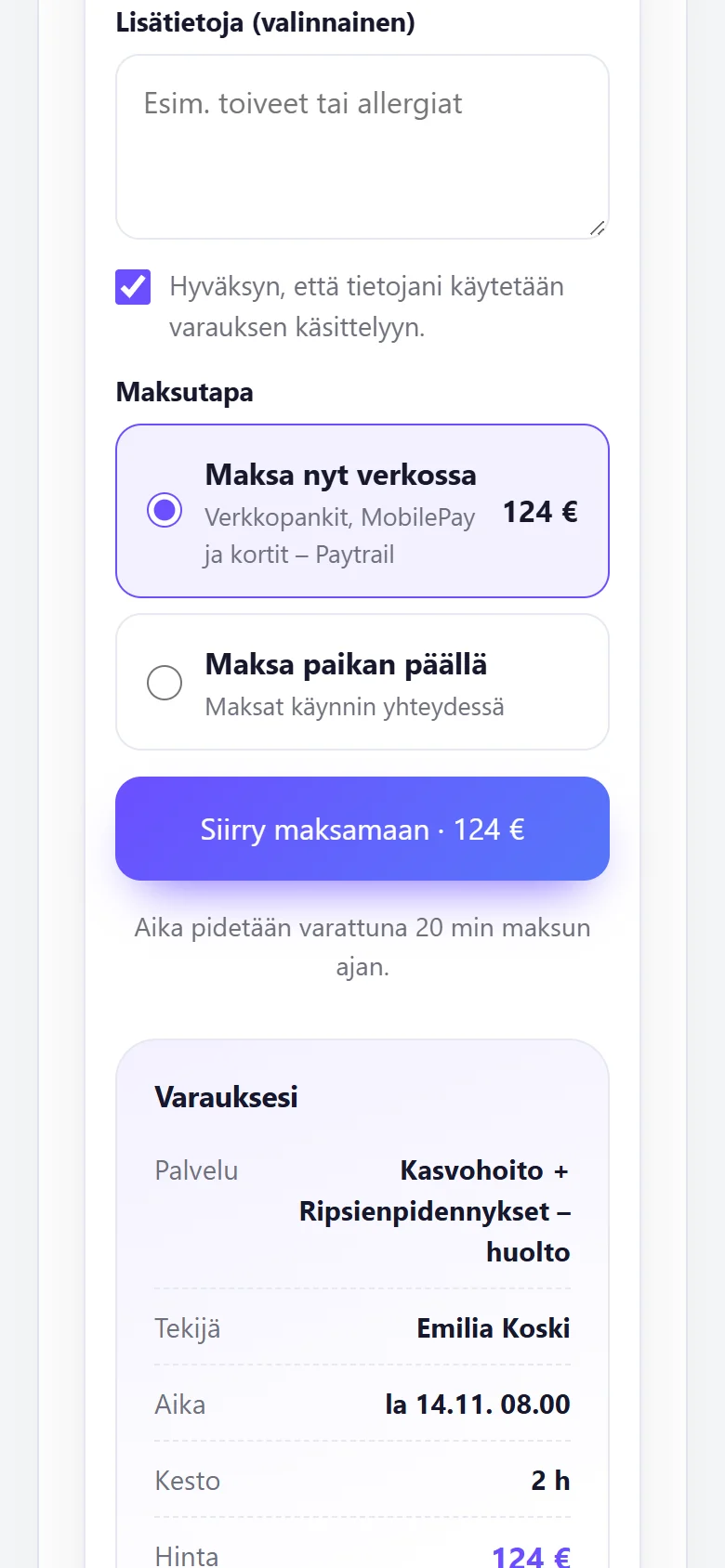
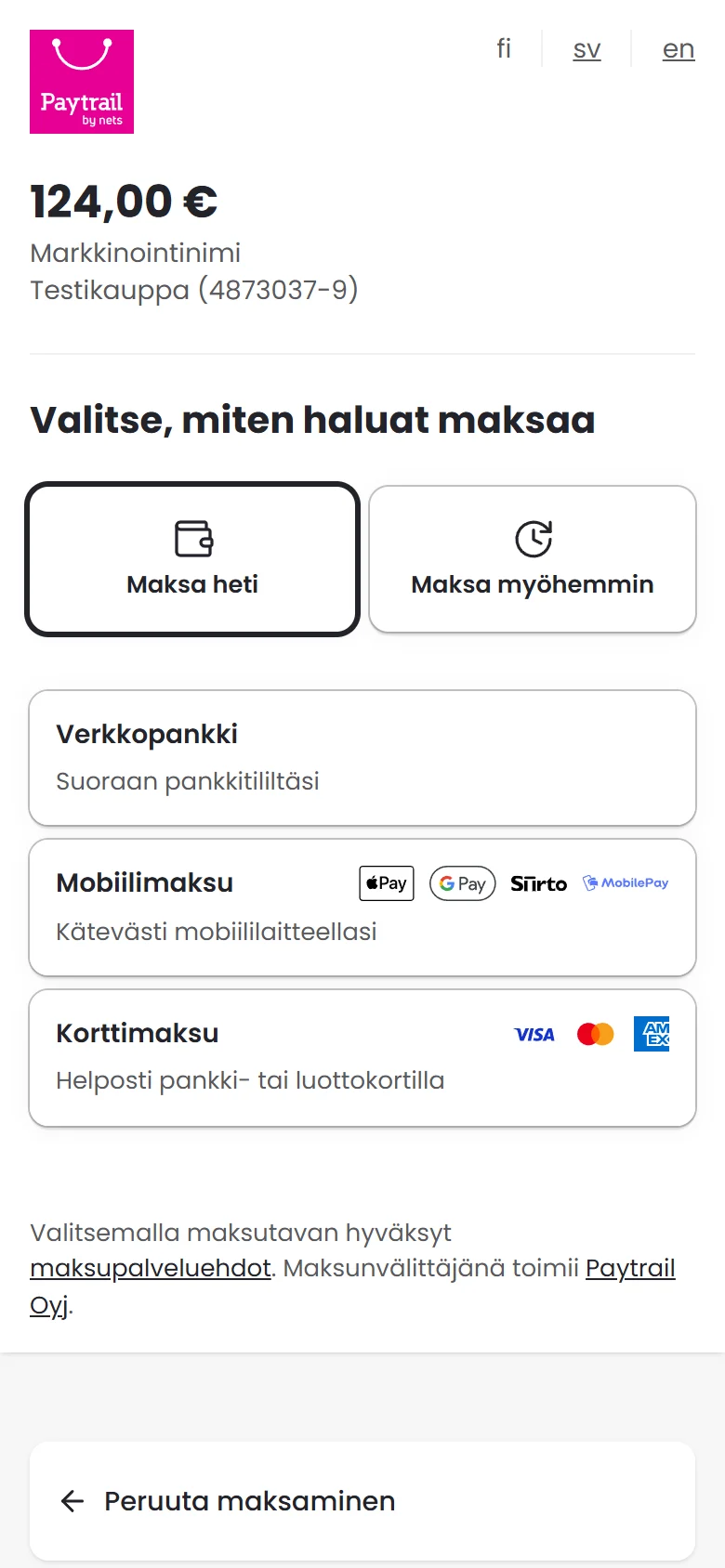
A two-hour lash extension slot is expensive to lose. With prepayment, the customer pays when booking through Paytrail or Stripe, and the time is held while they pay. The money is settled to the salon's own account.
- Online payment required, optional or off
- Online banks, mobile payments and cards
- The time is released if payment isn't made
- Cancellation terms shown before booking
Treatments, durations and buffer times in your hands
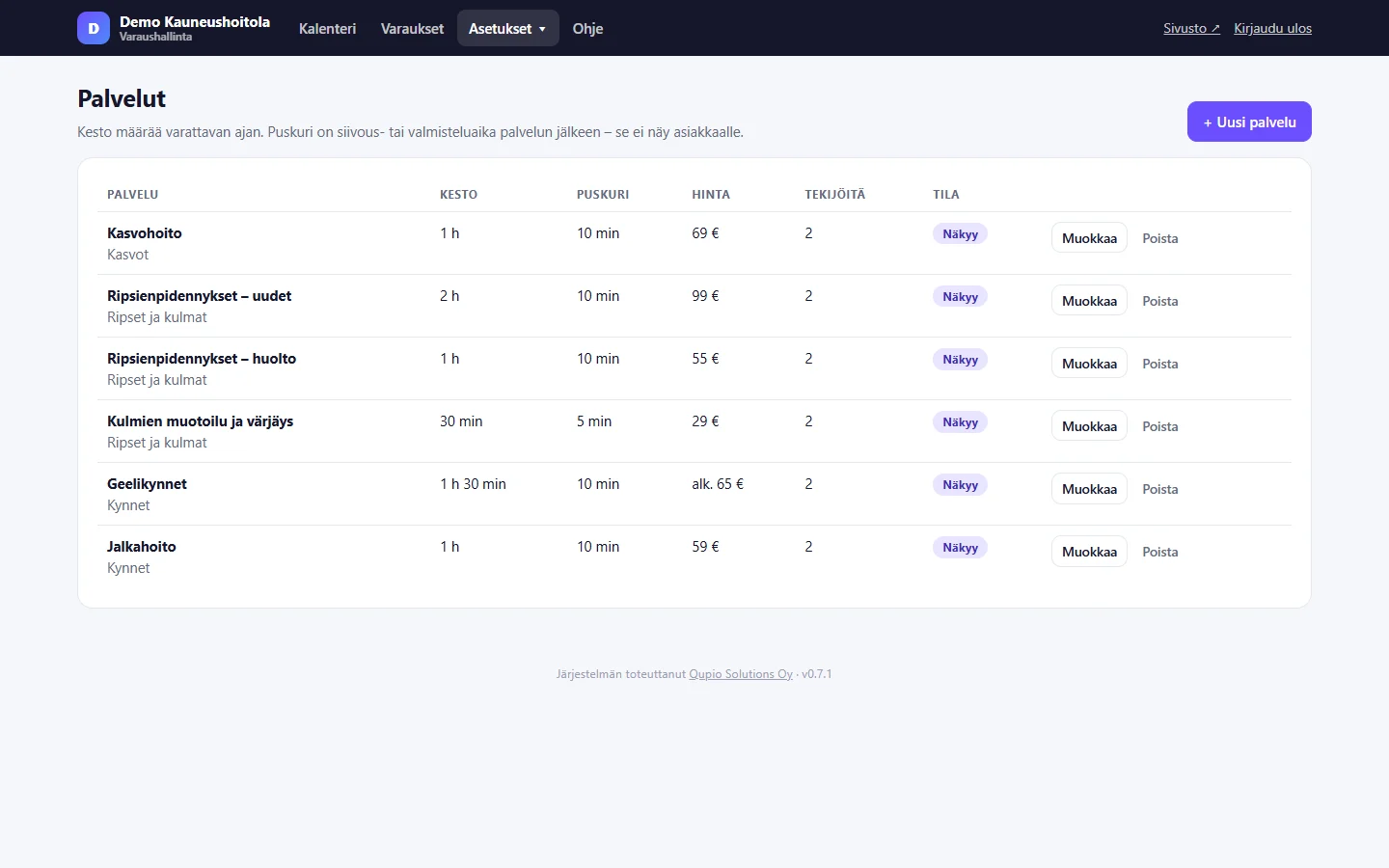
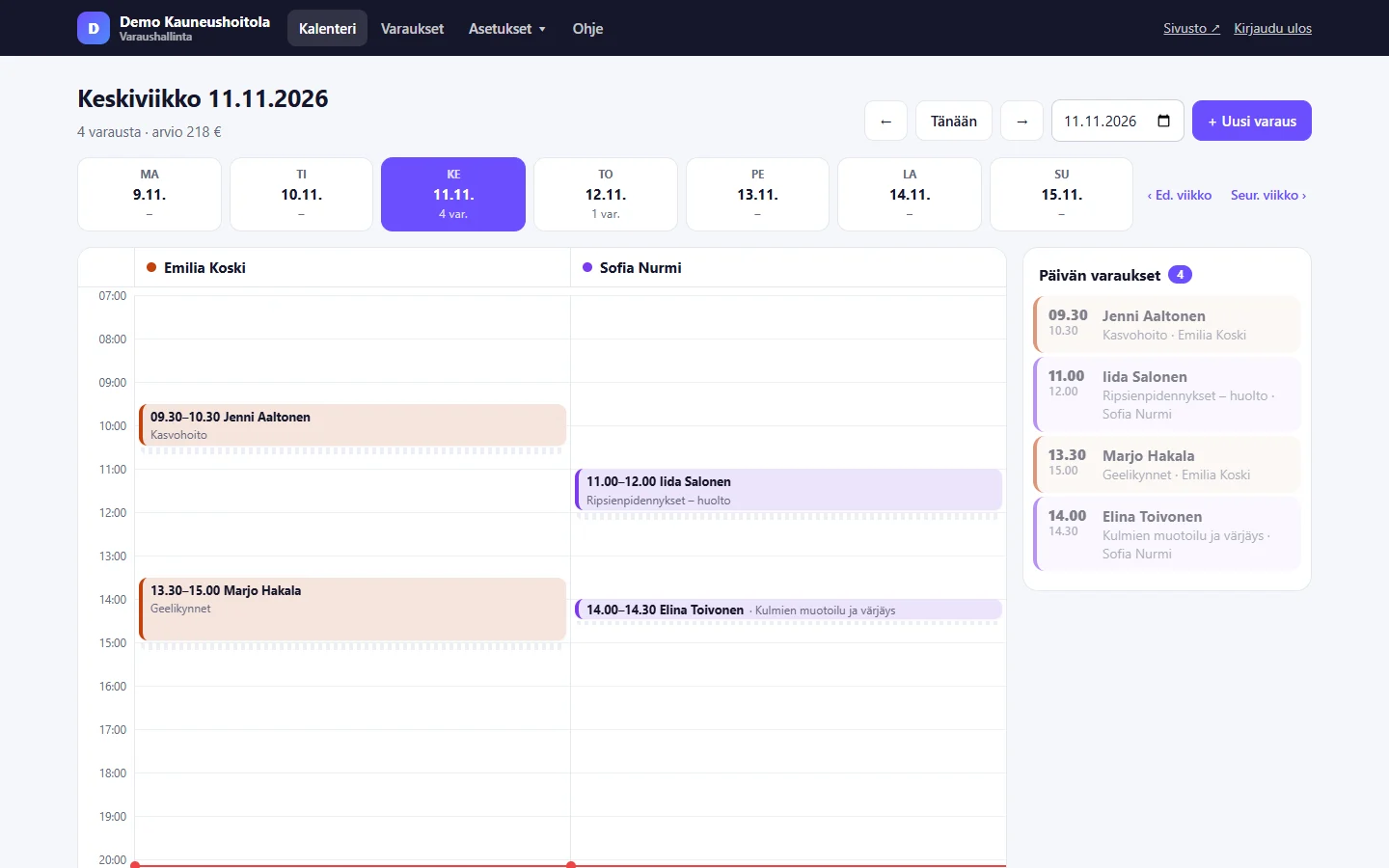
The dashboard works on a computer and a phone. The calendar shows the day by therapist, and on the services page you set each treatment's duration, price and the break before the next customer.
Buffer time between treatments
The buffer is cleaning or preparation time after a treatment. Customers don't see it, but the next booking only starts after it – there's time to clean tools and prepare the room in peace.
- Duration and buffer per treatment
- Treatment visible online or hidden
- Therapists who do the treatment
- Categories and order
The day by therapist
The calendar shows each therapist's day and where a treatment booked by phone still fits. You add a new booking straight into the calendar.
- Day and week views
- Phone bookings in the same calendar
- New booking alerts also go to the therapist
- Optionally confirm bookings manually before they're valid
Other salons and studios
The beauty salon booking system adapts to any service with varying durations and preparation time.
Nail studio
Gel nails, refills and removals with their own durations, buffer for cleaning tools.
Lash and brow studio
New sets and refills with different durations, prepayment for long appointments.
Spa and foot care
Treatment rooms as resources, packages as several services in one visit.
Other booking systems: hair salon booking and massage booking. All industries: ordering and booking systems.
Customised to your salon
The screenshots show the standard version with a sample salon's treatments. In your salon, treatments, durations, buffer times, prices, therapists, colours, cancellation terms and payment methods are set up your way. Gift cards, treatment series or a pre-visit questionnaire can be built separately.
Beauty salon booking system – FAQ
What is buffer time?
Buffer is extra time reserved after a treatment, for example to clean tools or prepare the room. Customers don't see it, but the next booking can't be made on top of it.
Can I ask for prepayment only for some treatments?
In the standard version the payment method is set for the whole salon: online payment required, customer's choice or off. Prepayment for long treatments only can be customised.
Can I approve bookings before they're confirmed?
Yes. When automatic confirmation is off, a new booking arrives as a request that you approve in the dashboard, and the customer only gets a confirmation after that.
What happens to customer data?
Customer data is stored in the salon's own system, not in an external booking portal. Personal data of old bookings is anonymised automatically after a period you set.
Can the booking look be changed to the salon's colours?
Yes. Booking colours, rounding and shadows are chosen in the dashboard from ready-made themes or your own colour codes, and you see the change in a preview before saving.
Ready to take your online presence to the next level?
Tell me about your situation – you'll get a clear, fixed-price quote and a straight answer on what makes sense for your business.